flamespit4
2026-02-24 10:34
Just got it this morning in Ireland, yet to take a look
Muted-Display8337
2026-02-24 11:02
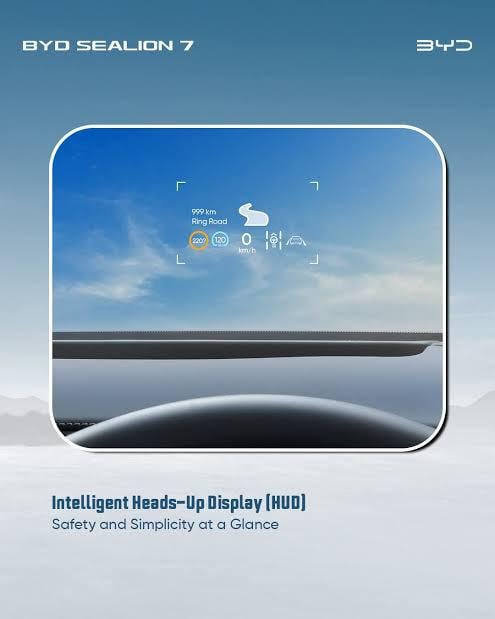
Je viens également de la recevoir. Je suis en France. J'ai remarqué une différence d'affichage sur le HUD.
r0bbiebubbles
2026-02-24 11:38
Release notes are [here](https://www.bydauto.dk/min-bil/softwareopdatering/softwareopdatering-af-seal). They're in Danish but the browser should translate them.
ArdianNuhiji
2026-02-24 11:57
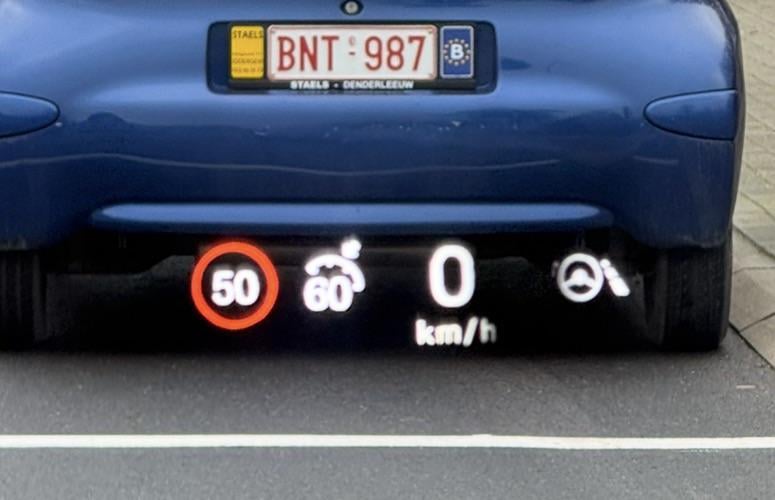
Got this as well in BE
https://preview.redd.it/88kdy635mflg1.jpeg?width=775&format=pjpg&auto=webp&s=3c7a6d3928a7c8cfc0a8c08ad7ecf0f88e726368
HUD changed?
Pale_Emergency_537
2026-02-24 12:54
Changes to the HUD alright. Not sure did the extra seat memory position come in this upgrade or the last.
Kishan08
2026-02-24 16:53
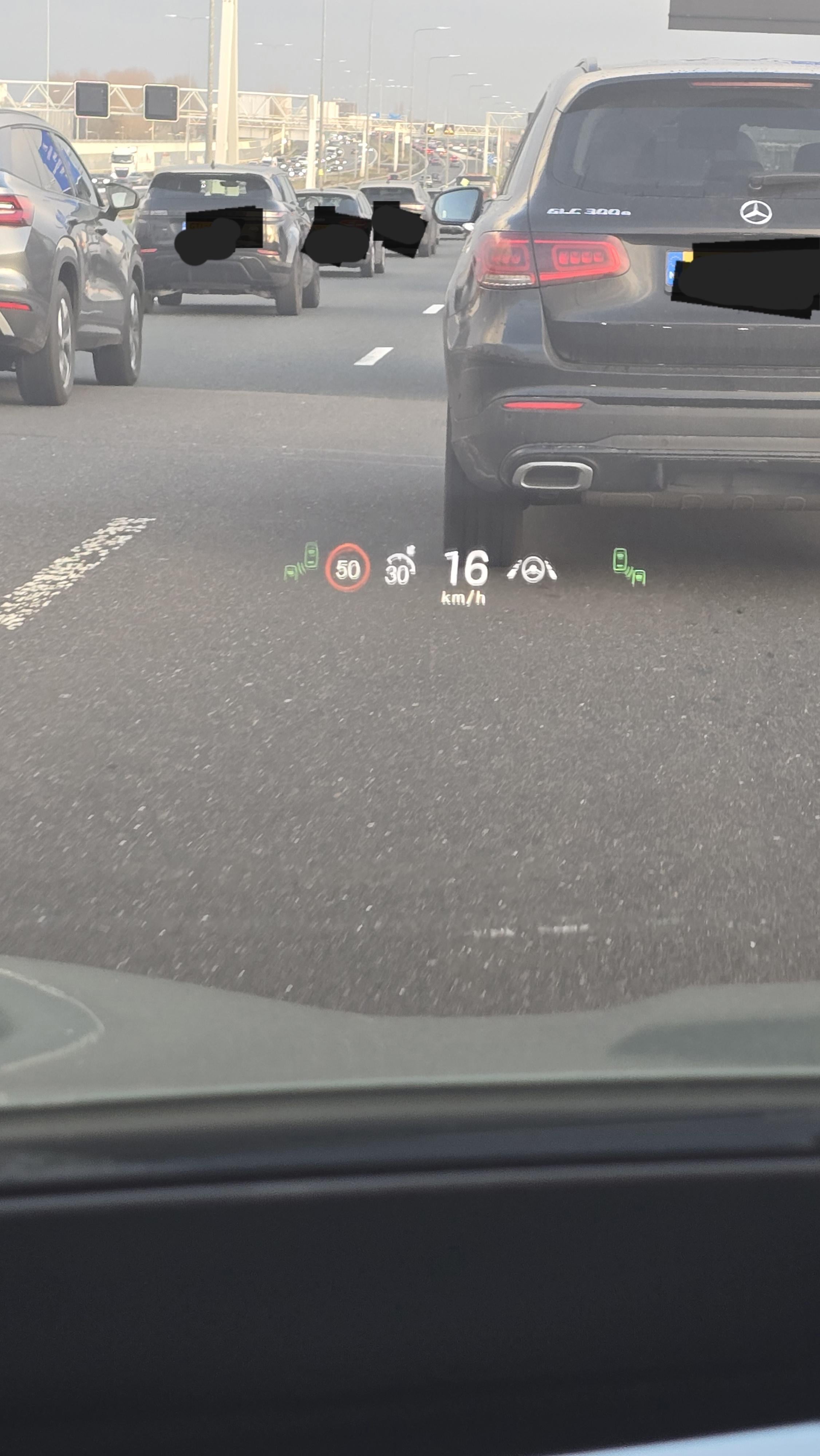
Definitely HUD change. I tried getting all the icons change i could see. (Can only add 1 photo). But you can see the speedlimit, which will blink when going over it. Left and right side blind spot. Change gear (R, D, P) underneath the speedometer. Between right blindspot and lane assist is the lane assist warning. And finally the handbrake icon underneath the speedometer.
https://preview.redd.it/l2gcbrr93hlg1.jpeg?width=2252&format=pjpg&auto=webp&s=31873218895a4ade4e62170fd57cc9123700f087
Aluveitie
2026-02-24 18:26
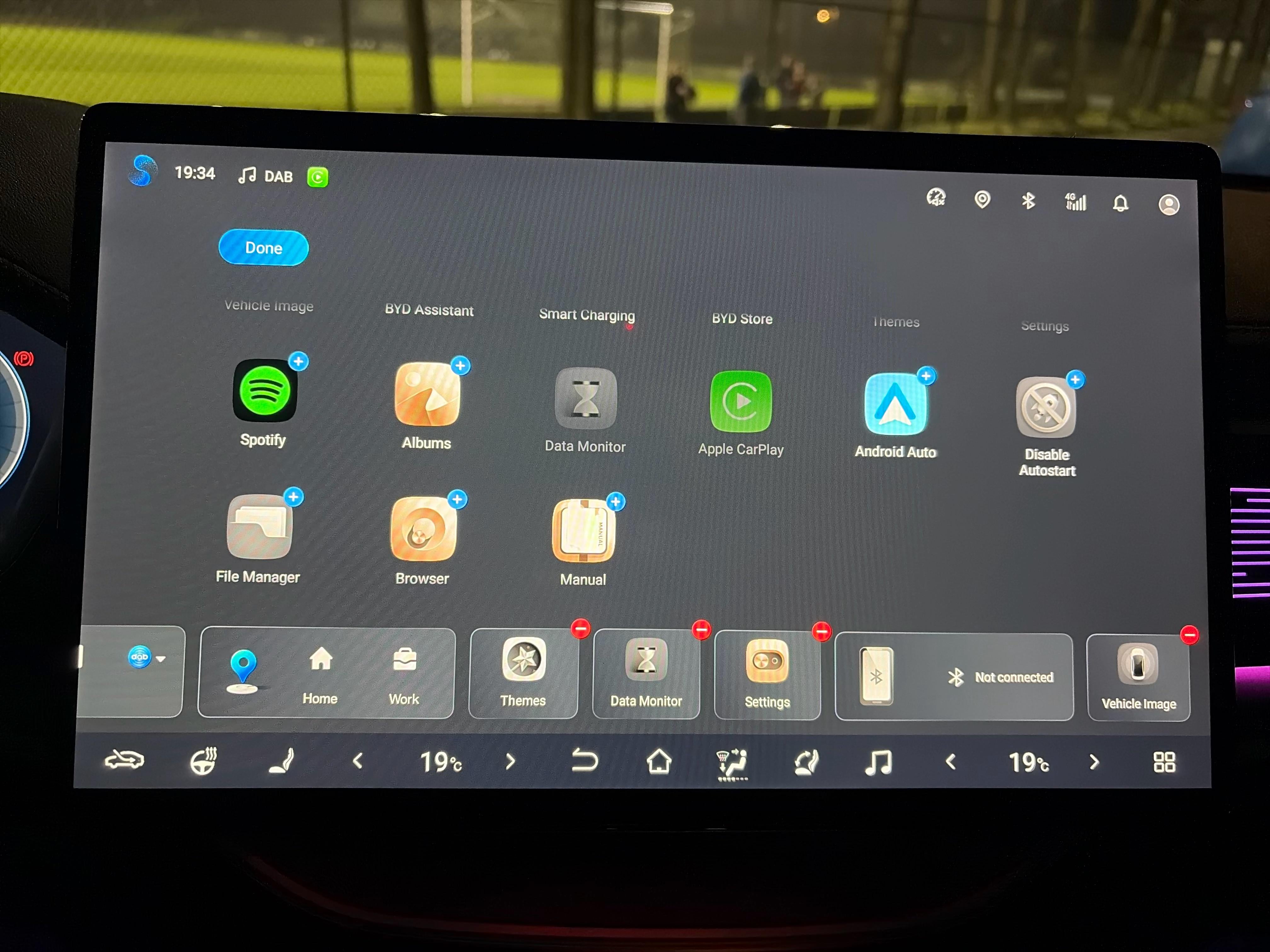
Noticed the tire pressure widget disappeared after the 2.1.1 upgrade.
Successful_Result487
2026-02-24 18:34
How do I add tire pressure widget?
https://preview.redd.it/ayvc0d85lhlg1.jpeg?width=4032&format=pjpg&auto=webp&s=245bf38a599c7a2f6570d3e4962748ce72007cac
Aluveitie
2026-02-24 18:43
Didn't find it anymore, looks like it's missing in 2.1.1
ArcUk
2026-02-24 18:56
It seems to have added the new profile feature, ability to link to app account and save seat, ambient lighting and theme preferences. But in doing so seems to have wiped the existing two saved seat positions I had!
Several_Complaint_33
2026-02-24 21:35
There is a part in the update for radio signal switching optimisation, hopefully it solves the issues we have in Ireland for a lot of areas, been using a radio app to get around the issue
Numerous-Implement47
2026-02-25 02:38
Have you tried the native maps app to see if it puts any turn info up when you have destination plugged in?
If they have those then i will download and update myself as in Australia we are stuck on 1.4.1
Nisja
2026-02-25 08:30
I got it yesterday (UK) and my driver's seat no longer appears to move back when I open the door. It's set in the menu, checked twice. Bit of a bummer I've had it exactly 1 week.
ArcUk
2026-02-25 08:33
It appears to have messed up something with my gps too, even in Android auto. Jumping all over the place this morning!
RunMammoth1924
2026-02-25 08:54
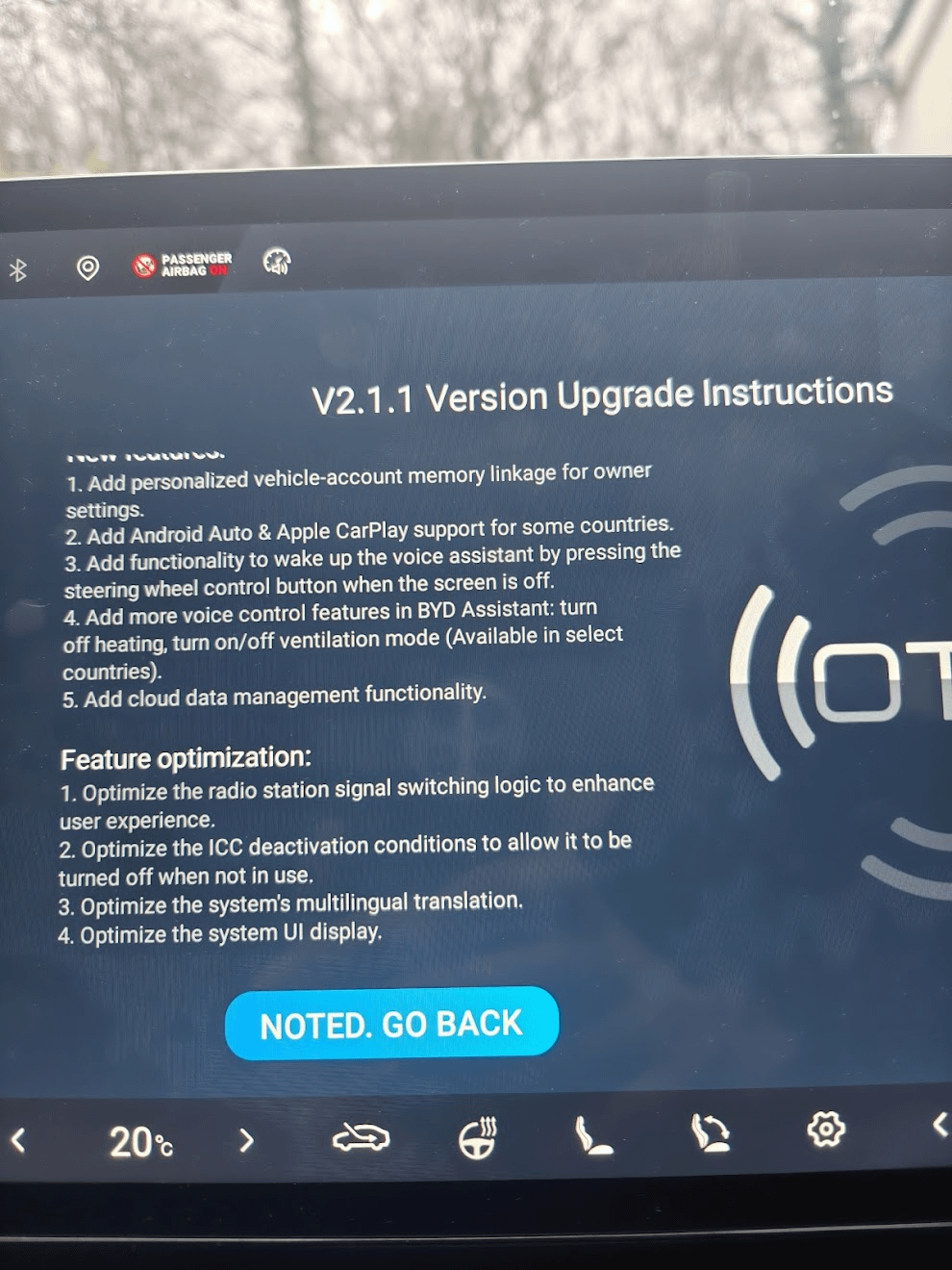
https://preview.redd.it/63ndoerhullg1.png?width=990&format=png&auto=webp&s=bb63a209aa1a4577af2653c4b7c70a442119195d
Snapped a picture of the release notes (Ireland) after doing the update this morning.
RunMammoth1924
2026-02-25 09:00
just checked it on mine (Ireland), still seems to work when entering the car. Try a soft reset perhaps (hold down the volume button on the centre console for about 10 seconds), see if that fixes it.
If the car is still on and I open the door to leave the car (using the "auto off" feature) the seat doesn't move back. It only does so if the car is first switched off, then I open the door.
Kintaax
2026-02-25 10:07
For me as well! Its not accurate anymore!
Hour-Bathroom7150
2026-02-25 11:43
Getting "this port has no data transfer functionality" when connecting my samsung Galaxy Ultra via USB C. Android Auto works wirelessly... (update done in Poland)
RunMammoth1924
2026-02-25 11:49
only the USB A port on the car can be used for Android Auto and Apple Carplay, the USB C is just for charging. It's probably just a notification to remind the user of this.
RunMammoth1924
2026-02-25 14:41
Nope that's not there, did a test just now. With the additional space they created (it's now a smaller single line) you'd expect them to start using this space for showing the navigation directions, perhaps in a next update.
HotLie8579
2026-02-25 15:45
I don’t understand the placement of cruise control speed next to current speed and speed limit on the left. It looks unsymmetrical and I often confuse them thinking they’re opposite
Responsible_Board476
2026-02-25 17:01
Is it optional, keep getting the update screen, doesn't sound like I want to going by the comments on here.
TycStyle
2026-02-25 19:09
Well, would love to see that type A port in the Seal U DMI :)) , since most European models have type c all over? And same message l, so no idea how you can actually connect the phone data wise.
Plane_Picture_7688
2026-02-25 20:46
I was having this issue today before doing the update!!
Actual_Put4333
2026-02-25 22:29
Lane departure warning also coming up when you’re near the lane
Numerous-Implement47
2026-02-26 02:58
Ah sad. Soon maybe...
coopeyo
2026-02-26 12:31
Anyone having issue with door handles not opening when unlocking the car after the update?
Elegant_Sir_8990
2026-02-26 14:30
Yes it has. I believe by regrouping them in one line, it has freed up space above this row, for navigation displays in future updates
This would align it with other BYD HUD layouts
https://preview.redd.it/kpv2ld7gnulg1.jpeg?width=495&format=pjpg&auto=webp&s=b1ec1b550fdc2b17bab9e0290ffab4e95e1fe6b9
Elegant_Sir_8990
2026-02-26 14:32
Seat 3 is part of the new OTA
MUFC-Singh
2026-02-28 07:43
My saved seating positions have been wiped!!! 😭
Wonker1972
2026-03-13 08:07
After the update, does anybody know how to stop the speed limit icon from blinking on the HUD if you’re over the speed limit?