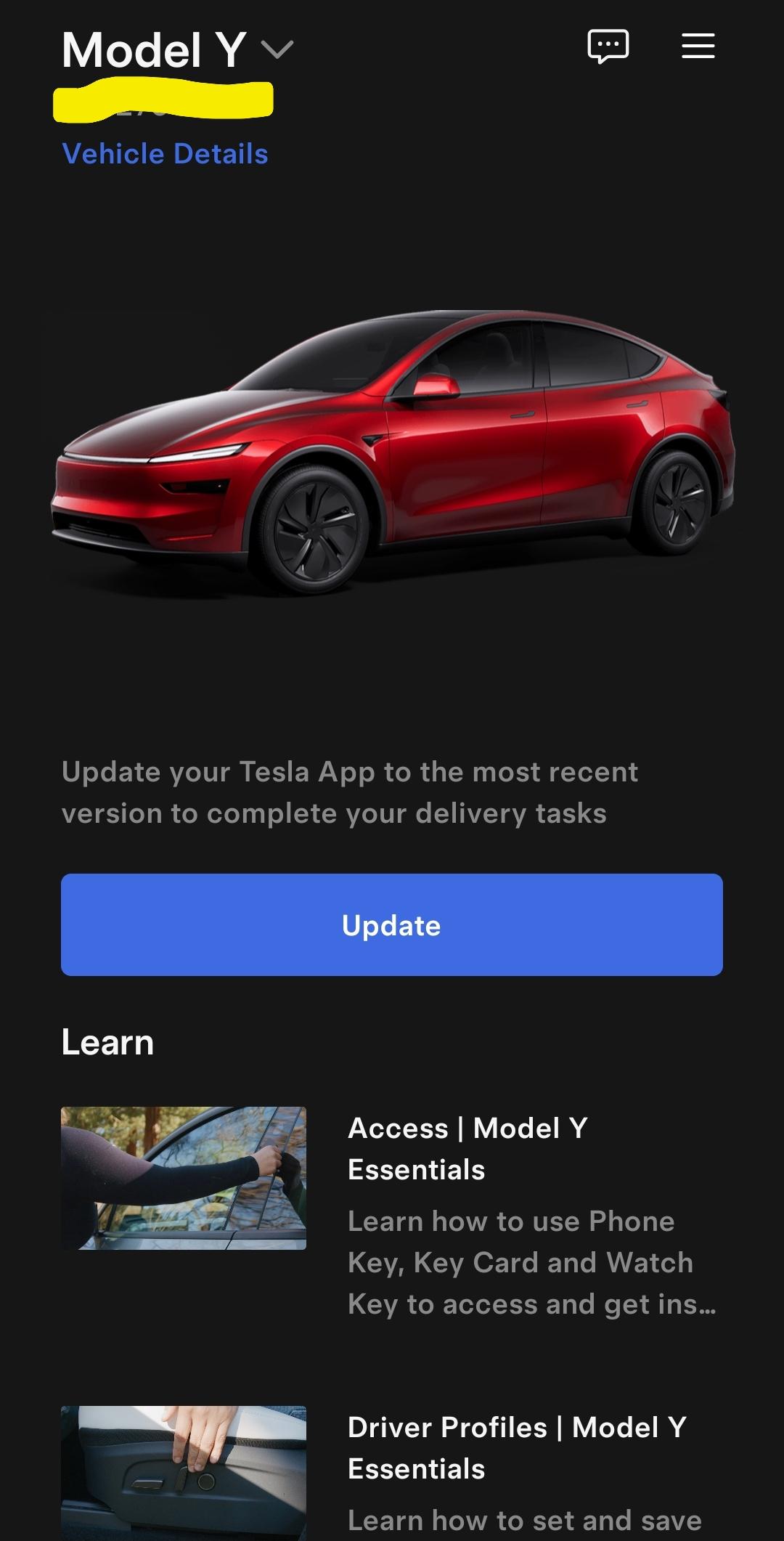
Pnhan89
2026-02-20 05:23
Update the Tesla app in App Store
senorchaco
2026-02-20 06:04
What phone are you using and what version of Android?
iRiceball
2026-02-20 06:22
it is updated though that's the thing
iRiceball
2026-02-20 06:23
android ver 16 im up to date with my s24 ultra.... its just so weird.. it was working like 6 hours ago lol
senorchaco
2026-02-20 06:33
Double check to make sure you've given the app permissions.
NecessaryInternet603
2026-02-20 11:37
Try uninstalling the Tesla app, restart the Pixel and reinstall the app.
If that doesn't work then start a Service Request which may seem heavy handed but that is the last resort. And by all means keep your key card handy.
Subpar_name
2026-02-20 11:53
I am getting the same error. Android, I cleared the cache , then logged out, then uninstall and reinstall. Nothing works Grok says server side error. I have put in a chat to delivery team
jonesaus1
2026-02-20 13:16
They are trying to compete pre delivery tasks
NecessaryInternet603
2026-02-20 14:07
You're correct and the OP should try revisiting the app with an eye for completing any thing that appears to need completion.
iRiceball
2026-02-20 15:02
Let me know if yours gets fixed lol
iRiceball
2026-02-20 15:03
I only have to do the last task. Which is agreement or something like that. Luckily, I can use my wife's phone which is iPhone 17
Subpar_name
2026-02-20 15:09
I will, the delivery center just opened 5 minutes ago. My guess is this is a problem that needs to be fixed in Austin.
My whole buying experience has been less than optimal. Car has been " in production" for 20 days at this point.
iRiceball
2026-02-20 15:19
I'm using my wife's phone. Luckily everything is good to go i just have to pick it up and confirm the appointment.
NecessaryInternet603
2026-02-20 15:30
The message to update the app will probably become possible after you've completed whatever needs completing.
iRiceball
2026-02-20 15:31
I called customer service tesla and they said I'm not apparently the only one who's having issues with this.
PaleontologistDry678
2026-02-20 16:00
Same for me! Get the same message. My delivery is in 2 hours. They don't know what is going on when I called. I have android too
PaleontologistDry678
2026-02-20 16:10
Please message me if you ever find the solution. Much appreciated
NecessaryInternet603
2026-02-20 16:38
It's always comforting to know you are not alone with a tech issue.
[deleted]
2026-02-20 16:56
The Tesla app is so bad. I d uninstall and download it again.
iRiceball
2026-02-20 17:09
Did that numerous times even thought it had to do something with my phone so I reformat it
baselganglia
2026-02-20 17:19
I'm Affected too, Android running latest.
Even tried uninstalling reinstalling.
baselganglia
2026-02-20 17:20
lol this is affecting many of us
ionlylandatlootlake
2026-02-20 17:24
Same issue, Galaxy S24U. Tesla App is up to date.
Seems like this is a Tesla back end issue.
baselganglia
2026-02-20 17:25
Already tried, didn't help
iRiceball
2026-02-20 17:27
This sucks. I'm picking up my tesla today too...
ionlylandatlootlake
2026-02-20 17:35
Do you have access to any Apple devices? iPhone or iPad even?
Natural-Attempt5866
2026-02-20 17:37
Reboot phone
iRiceball
2026-02-20 17:43
I'm using my wife's iPhone and it's working
iRiceball
2026-02-20 17:44
Reboot
Reinstall
Reformat. Nothing
Salty-Hat-3994
2026-02-20 18:07
I was having the same issue. Just now, I see the update for the tesla app in Google play. Updated and it's back to normal
Subpar_name
2026-02-20 18:26
I just checked the app update again and I got an update to4.53.6.4068. And not it works
iRiceball
2026-02-20 18:31
Update came up it's fixed
Frontsider9
2026-02-21 06:26
I had the same issue but the fix is to go to apkmirror and install it manually