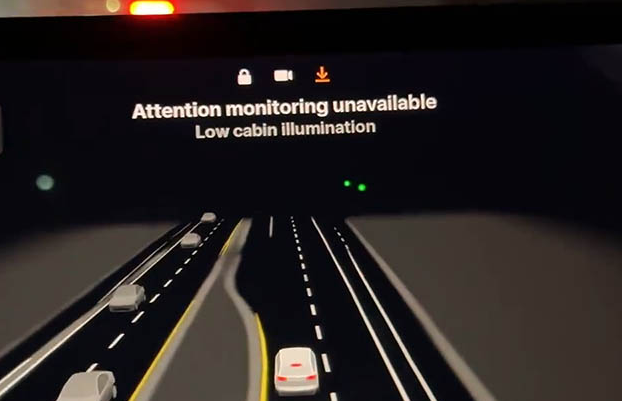
Cyka_Blyat_47-74
2026-01-17 19:37
Normal, if there’s not enough ambient light to see your face for attention then it’ll default to the “hands on the wheel” FSD mode.
xxtremlockxx
2026-01-17 19:56
I get the same message on my 2023 M3 RWD
ian799
2026-01-17 22:14
It gets annoying been thinking about what kinda light I could pump in to the cabin without it getting annoying. To keep that message off
crsn00
2026-01-17 22:16
I couldn't even activate FSD during my early morning commute because it was too dark. Car kept complaining the side cameras were blocked because they just saw black but that's what happens when it's dark out?
Clearly Tesla needs to do more testing outside the bay area where there's so much light pollution you hardly need your headlights on
lazyguck
2026-01-17 22:35
When I get that message I turn my front dome light on. It doesn’t bother me though I’m sure it’s not a great solution for everyone. ‘21 LR.
pinegap96
2026-01-17 23:04
I thought the 2025’s all had infrared interior cameras? It should never be an issue on those cars even if it’s pitch black. Only the first gen’s should have this issue, might need a service appointment. I’ve never had this problem using HW4, only HW3 cars
ChunkyThePotato
2026-01-17 23:06
Nope, not normal. HW4 cars have infrared lights in the cabin, so they're supposed to always be able to see your face. I use FSD at night all the time and never have to touch the wheel.
IAmAChemistryGuy
2026-01-17 23:16
IR
Slick135
2026-01-17 23:18
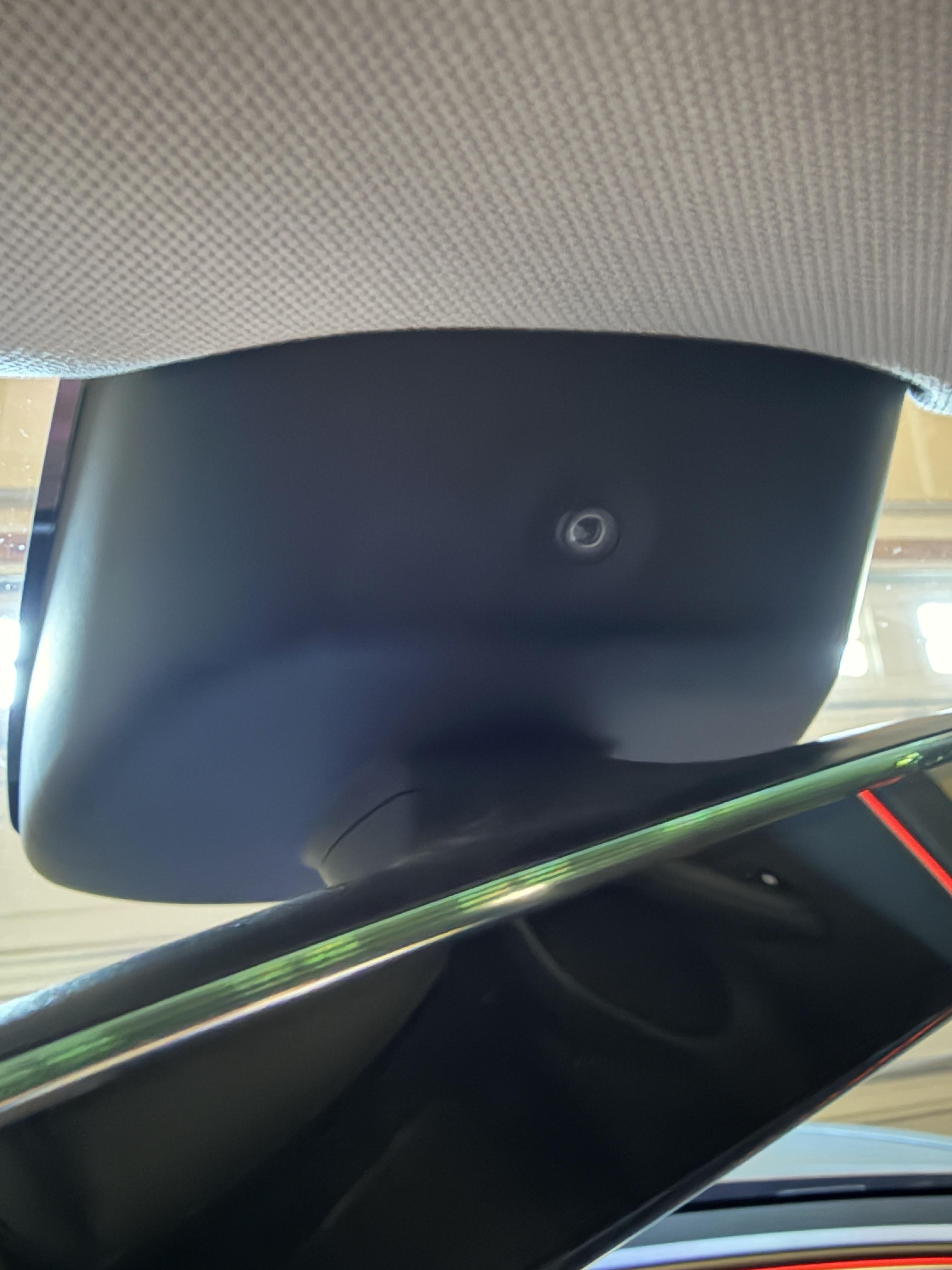
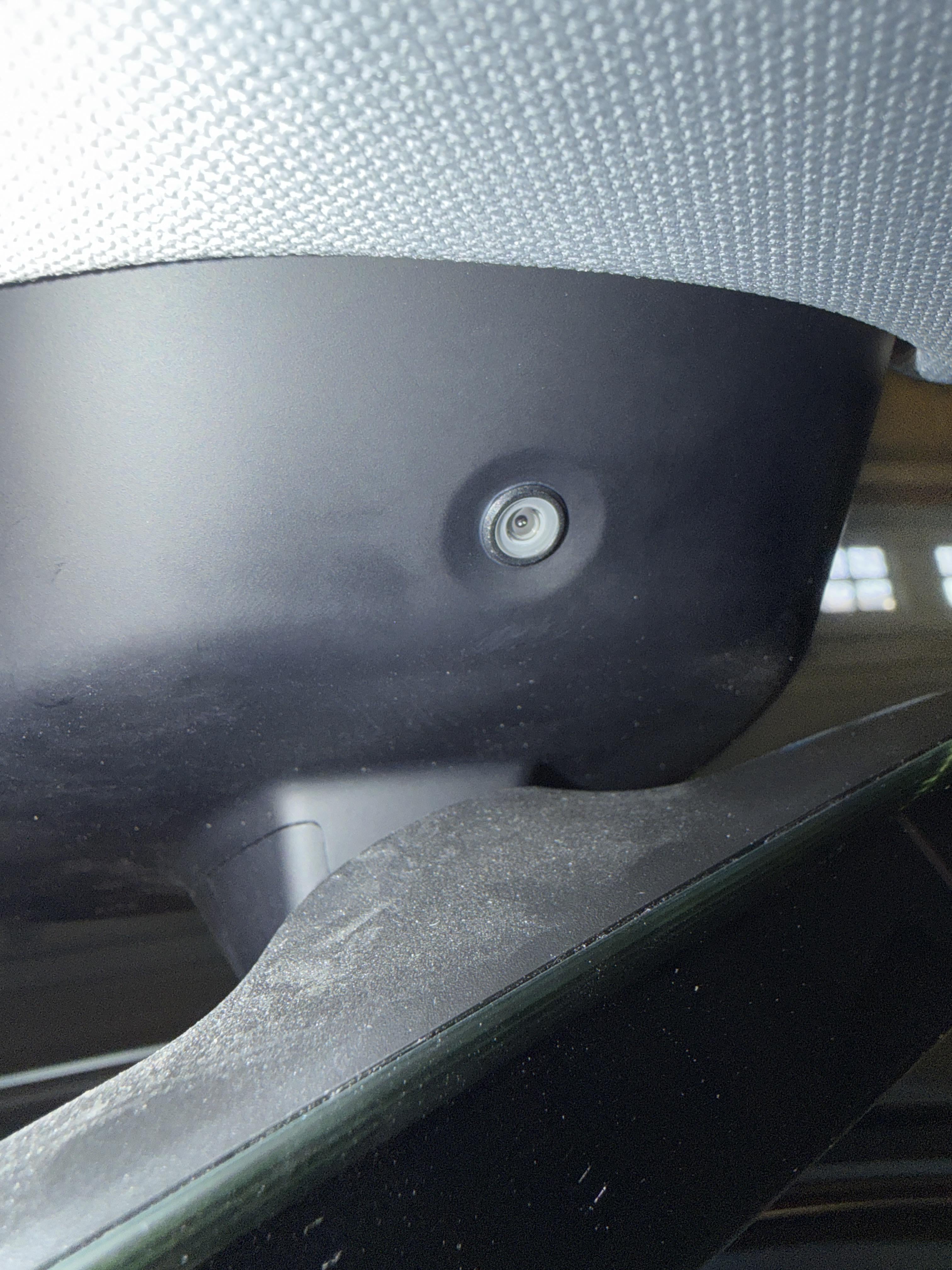
Do you happen to have a picture of the infrared light? That is what I thought as well, but when I look at my cabin camera currently I don't see any location for an infrared light (which I would think would be a separate item from the cabin camera). Makes me wonder whether the service department swapped my front camera cover with an old version without an IR light or something.
https://preview.redd.it/gcqdhw52tzdg1.jpeg?width=3024&format=pjpg&auto=webp&s=24aa75ddbf6057de3eea8bb8131d3eb2cd7aa8bc
ChunkyThePotato
2026-01-17 23:29
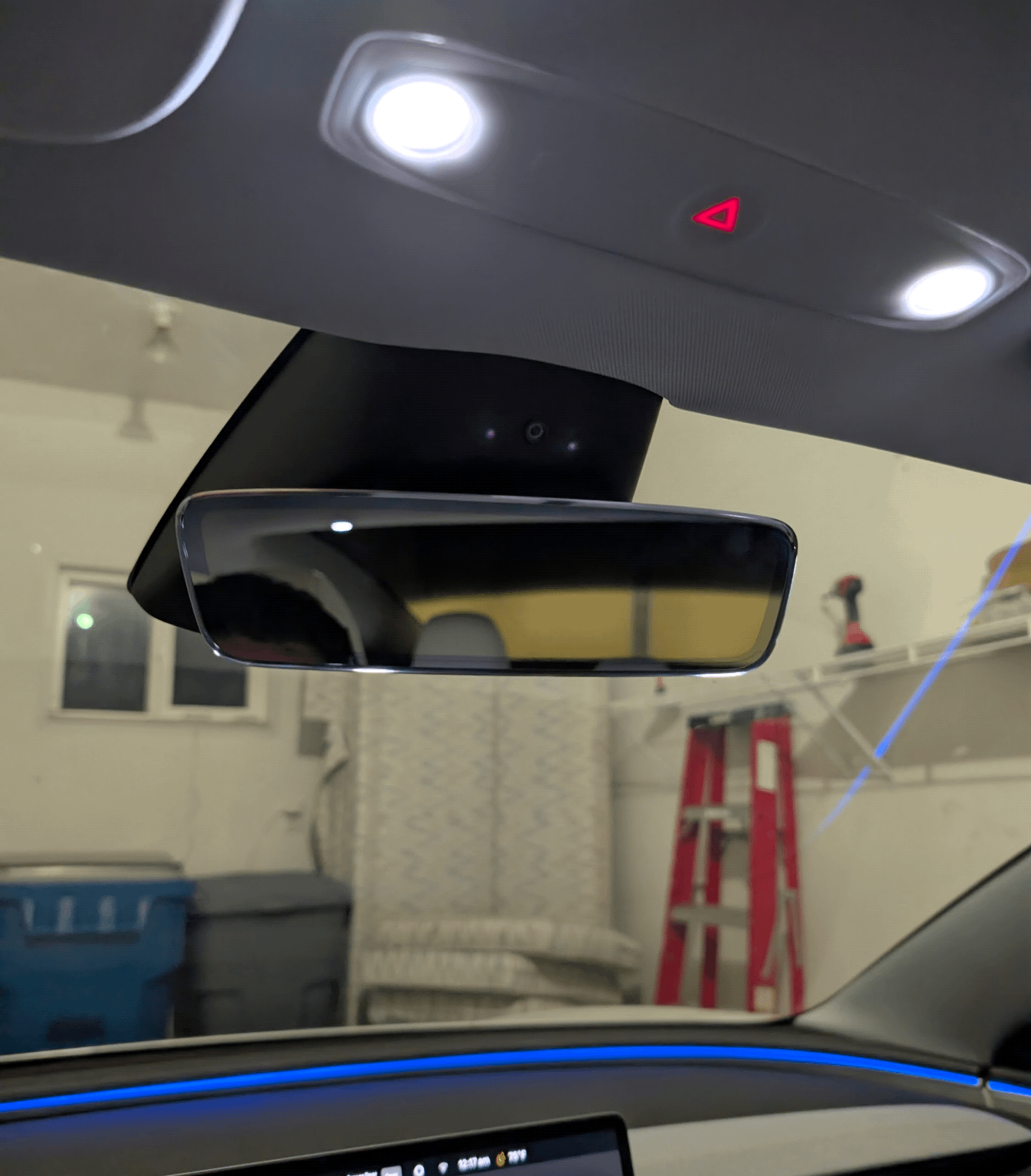
Yes I do:
https://preview.redd.it/hzsp7r23vzdg1.png?width=1339&format=png&auto=webp&s=f1b06f011c6480778c2ea2365d77e7ef41d46bb9
It shines through the plastic housing of the camera and isn't visible unless you point a camera at it while it's on. You can't see it with your naked eye. A 2025 Model 3 would have it.
Weak_Moment6408
2026-01-17 23:45
Maybe they unplugged something or smashed a wire when they cleaned the glass. I have a 2025 m3 and it doesn’t care how dark it is. I’ve never gotten that message. I’d take it back and have them look at it.
Slick135
2026-01-17 23:48
Thanks for that. Yeah I'm definitely not seeing those two dots to the side. Did you take that while you actually had FSD activated, or just in park?
Here's another picture of mine and there certainly doesn't seem to be any transparent areas to the side of the cabin camera. I was in park, but I had the cabin camera preview active on my screen (which I'd hope would active the IR lights?).
https://preview.redd.it/y0af8uheyzdg1.jpeg?width=3024&format=pjpg&auto=webp&s=db5a59a54fcc86d8edc818e9f53ee2ca764cbb0d
Nicnl
2026-01-17 23:51
Don't take a picture with flash.
Disable flash, and increase the exposure please.
We want to see the infrared light itself.
The transparent area is only transparent to infrared.
You won't see it even with a bright light.
So no need to search those.
Also what time of day it is?
I think it only turns on at night.
Slick135
2026-01-18 00:01
My first image from 40 mins ago above was without flash, with a 2 second exposure, in my garage that was actually darker than u/ChunkyThePotato's garage (judging by his picture), however mine wasn't taken at night. I'll try again later this evening.
ChunkyThePotato
2026-01-18 00:14
Mine was in park with the cabin camera preview active as well.
It's normal for the camera housing to look completely uniform with no obvious areas of transparency. But you should be able to see red-looking lights when you view it through your phone camera.
Nicnl
2026-01-18 00:16
I managed to miss the picture from 40 minutes ago somehow.
I said "without flash" because flash is much more powerful than the IR emitters making them invisible.
A two second exposure would have shown the two IR.
I am not sure if they only turn on during the night, it is something I read but haven't verified.
It's worth checking this evening indeed.
But, with your 2s exposure in a dark garage (seems bright, but it is long exposure so idk) + the "low cabin illumination" warning.... those are bad omens, going in the direction of "infrared emitters are dead".
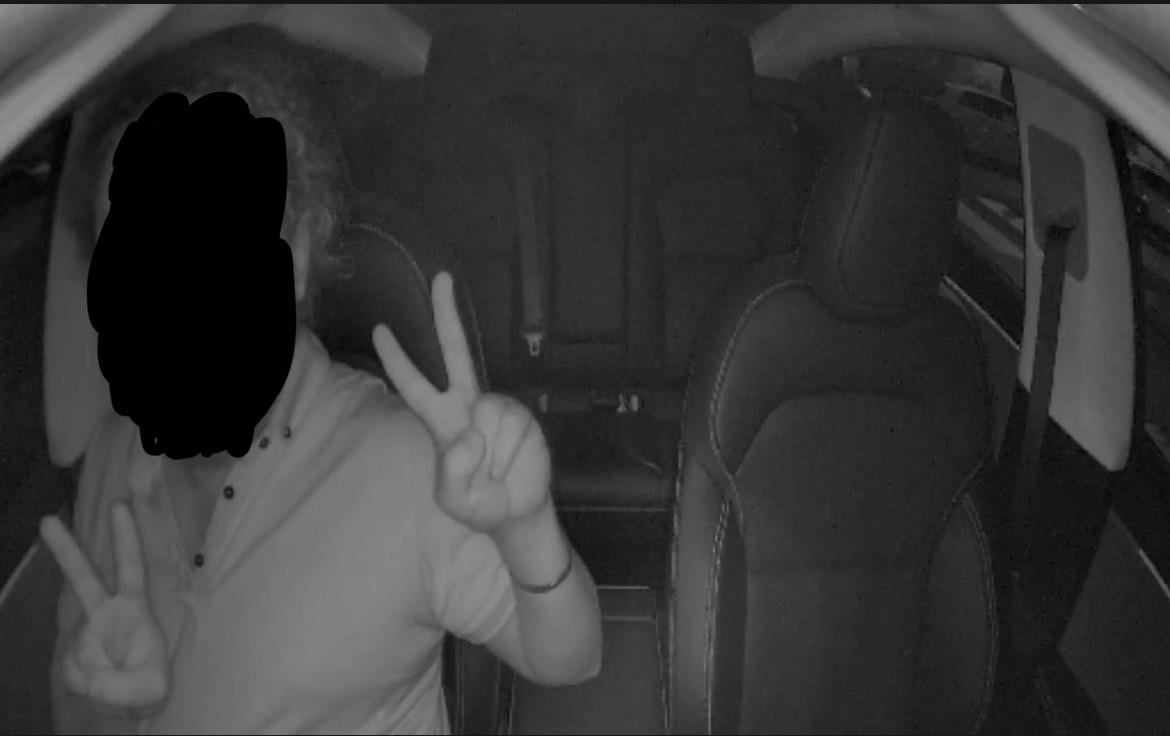
When it's dark outside, give a go to the new phobooth app.
You'll quickly see if the IR works or not.
It it works, you'll see a bright cabin interior with an uncanny black and white look (IR reflects differently, it looks weird).
If it's all black, well.... you'll need to do a ticket
I attached a picture I took a few nights ago using the Photo Booth app so you have a reference point for comparison.
I was wearing a black shirt with blue stripes! Infrared makes things look weird, it appears as a white shirt
https://preview.redd.it/0uoa789e30eg1.jpeg?width=1170&format=pjpg&auto=webp&s=06feb790d40c7e86e0e5bfb5c9c695b67e6779ee
FastGrapefruit6841
2026-01-18 00:57
I have a 2025 Model 3 and usually drive through dark country roads at night and I have never experienced this problem. Have Tesla take another look at it.
protonecromagnon2
2026-01-18 01:41
The whole plastic cover is IR transparent. If the lights don't turn on you need to go get that fixed. Warranty definitely covers this.
TonedBioelectricity
2026-01-18 03:09
Agreed with other commenter, the IR isn't working and this should be fixed for free by service (assuming you're under 50k miles).
Cowsmoke
2026-01-18 03:31
[I cleaned my own glass](https://www.reddit.com/r/TeslaModel3/s/1sBElhH1Ik), and have not had that problem.
Knaj910
2026-01-18 05:18
This actually happened to me, and yes it was fixed for free
abhishek927
2026-01-18 05:50
I used to get that on FSD 14.1.x. Fixed it after 14.2.x
thiccest-boi-here
2026-01-18 17:32
Set your screen brightness to 100 percent or just swap to light mode
Cyka_Blyat_47-74
2026-01-18 18:16
I have a 2025 M3P. I still gotten the low illumination warning while using FSD.
iceberg247
2026-01-19 20:37
all 2025 model 3s are highlands…
Present-Ad-9598
2026-01-20 09:31
I’ve gotten this message only twice on my 2018 m3, both times FSD worked as normal without additional nags