← Back to topic list

Tesla Model 3 (2021) – Left high beam not working, headlight replacement really necessary?

LeagueAffectionate70 | 2026-03-07 22:18 | 10 views

Hi everyone, I have a 2021 Tesla Model 3 Standard Range (LRW / Made in China) and recently noticed that the left high beam stopped working. Details: • Left high beam not working • Low beam and parking light still work • No flickering before it stopped • Soft reset didn’t fix it • No obvious moisture in the headlight From what I read, many people say the entire headlight has to be replaced because the LEDs are integrated. But since the low beam still works, I’m wondering if the headlight unit itself might actually still be fine. Has anyone here experienced the same issue and fixed it without replacing the whole headlight? Things I’m curious about: • Could it be a VCFront / controller issue instead? • Any chance it’s a connector or wiring problem? • Did anyone manage to repair the internal driver of the headlight? Would really appreciate hearing if someone solved this without swapping the entire unit. Thanks!
Comments (4)
protonecromagnon2 2026-03-07 22:32

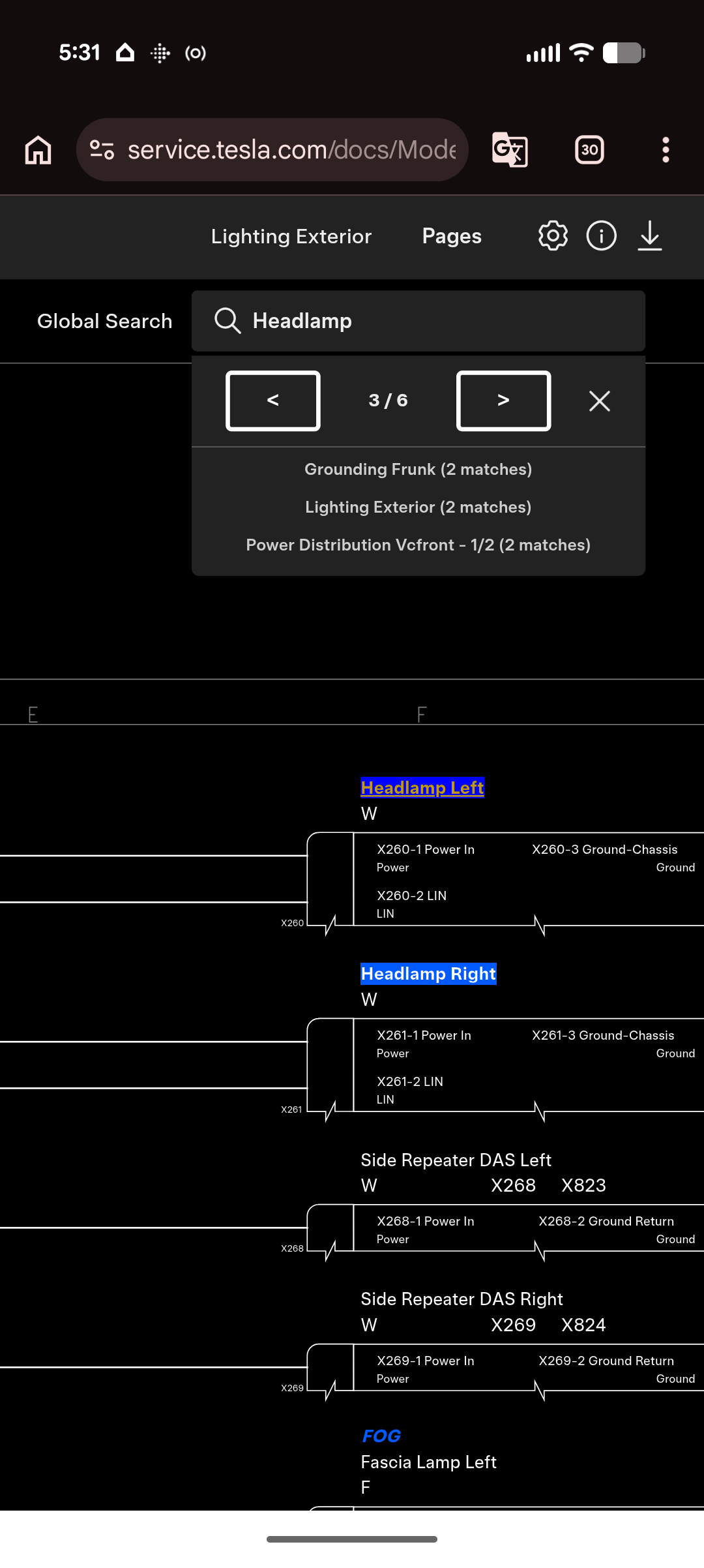
https://preview.redd.it/i8jbr76m9png1.png?width=1080&format=png&auto=webp&s=d797fbaccb81c1bebb258419d71173e2a45fdfa3 If I got the correct rev it looks like you have matrix lights and only 3 wires connecting the controller to the headlight. If that is correct then yes, you need a new assembly.

LeagueAffectionate70 2026-03-07 23:13

Thanks! I checked also a video, to change the light should be easy. Will the error message deleted automatically?

protonecromagnon2 2026-03-07 23:20

Most of Tesla's error codes get cleared when the condition that caused the code to come up is no longer present

psaux_grep 2026-03-08 01:17

Check the service manual for the right steps. Freely available at service.tesla.com. Remember to get the headlights aligned properly afterwards. One of the cheapest thing you can pay someone with professional equipment to do for you.

Add comment

Login is required to comment.

Login with Google