FIST_FUK
2026-02-22 04:11
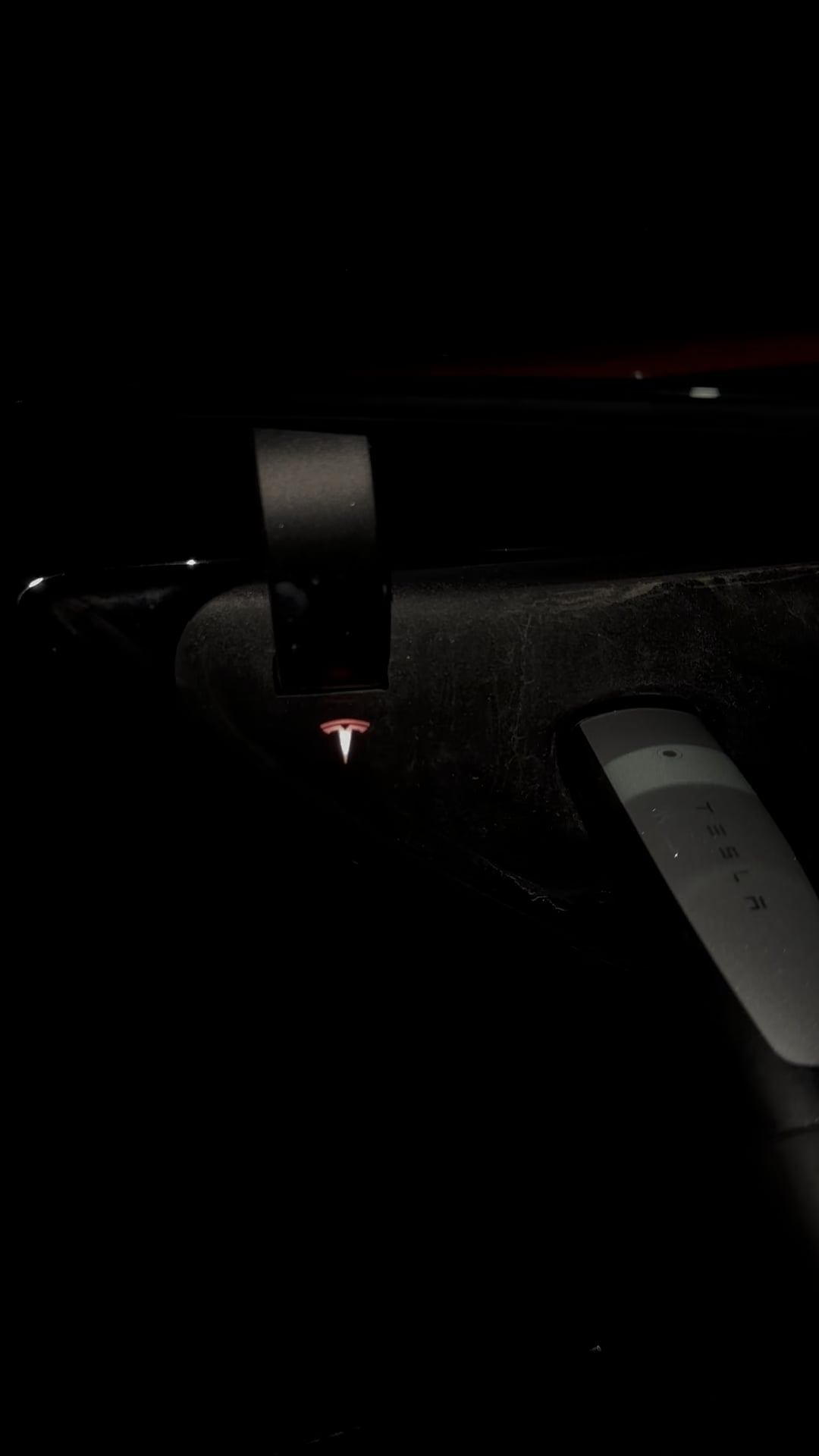
One of the LED lights in it is probably not working
RScottyL
2026-02-22 04:12
Where are you charging?
Does it do it everywhere you charge?
Significant-Vast7972
2026-02-22 04:13
charging it home
Aromatic-Union1707
2026-02-22 04:14
The charger is not fully inserted in the charge port so the lock can't engage.
Significant-Vast7972
2026-02-22 04:15
it’s still says it’s charging tho? , will try to unplug it and try again 👍
Significant-Vast7972
2026-02-22 04:18
after 10-15 mins of the car “charging” the light turns solid blue, any idea why?
dubie4x8
2026-02-22 04:31
Could be the connection from your house, not so much the car
Significant-Vast7972
2026-02-22 04:37
I think you’re right, the t lights up purple when opening the charging port , I think it’s supposed to be white
Aromatic-Union1707
2026-02-22 14:57
AMBER - BLINKING
(action required)
is charging at a reduced current because it is not fully plugged in to the charge port. Realign the connector to the charge port and insert fully. If the issue persists, inspect the charge port and connector for obstructions. If no obstructions are found, try a different charge cable.
https://service.tesla.com/docs/Public/diy/modely/en_us/GUID-07FBA723-779F-4CF0-B9A7-AA8076335CE4.html
SblackIsBack
2026-02-22 16:22
Pretty sure they just have bad LEDs in the charging indicator Tesla logo.
NautiThots
2026-02-23 01:39
Can you take a picture of the charging port without the plug? I'm curious if the electrical terminals are at the right depth.
word-dragon
2026-02-23 12:38
If you just bought the car, go to the app and open a service call. Let Tesla work it out.