← Back to topic list

Having issues with home charging

RoyTheBoy84 | 2026-01-02 22:24 | 26 views

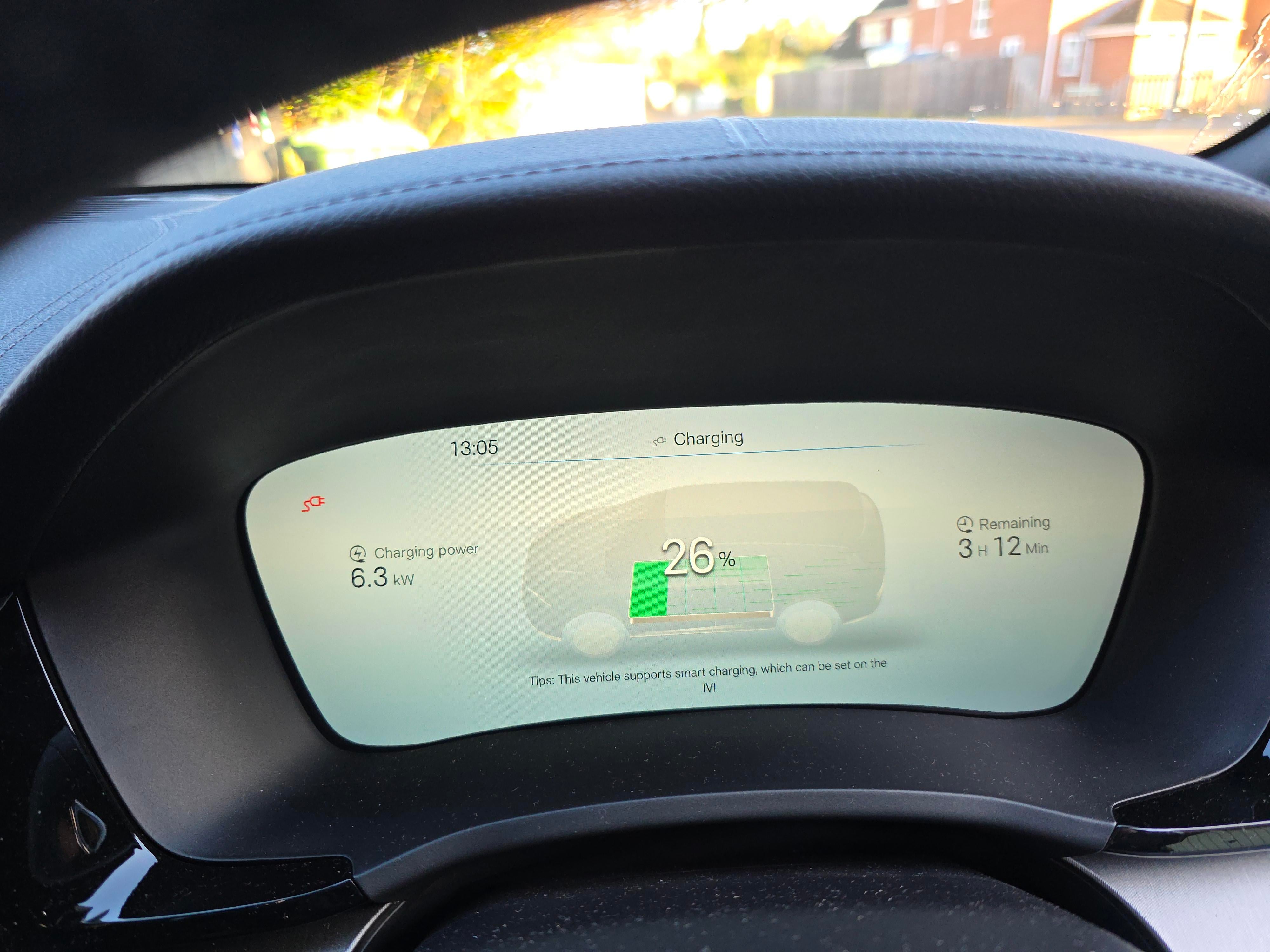
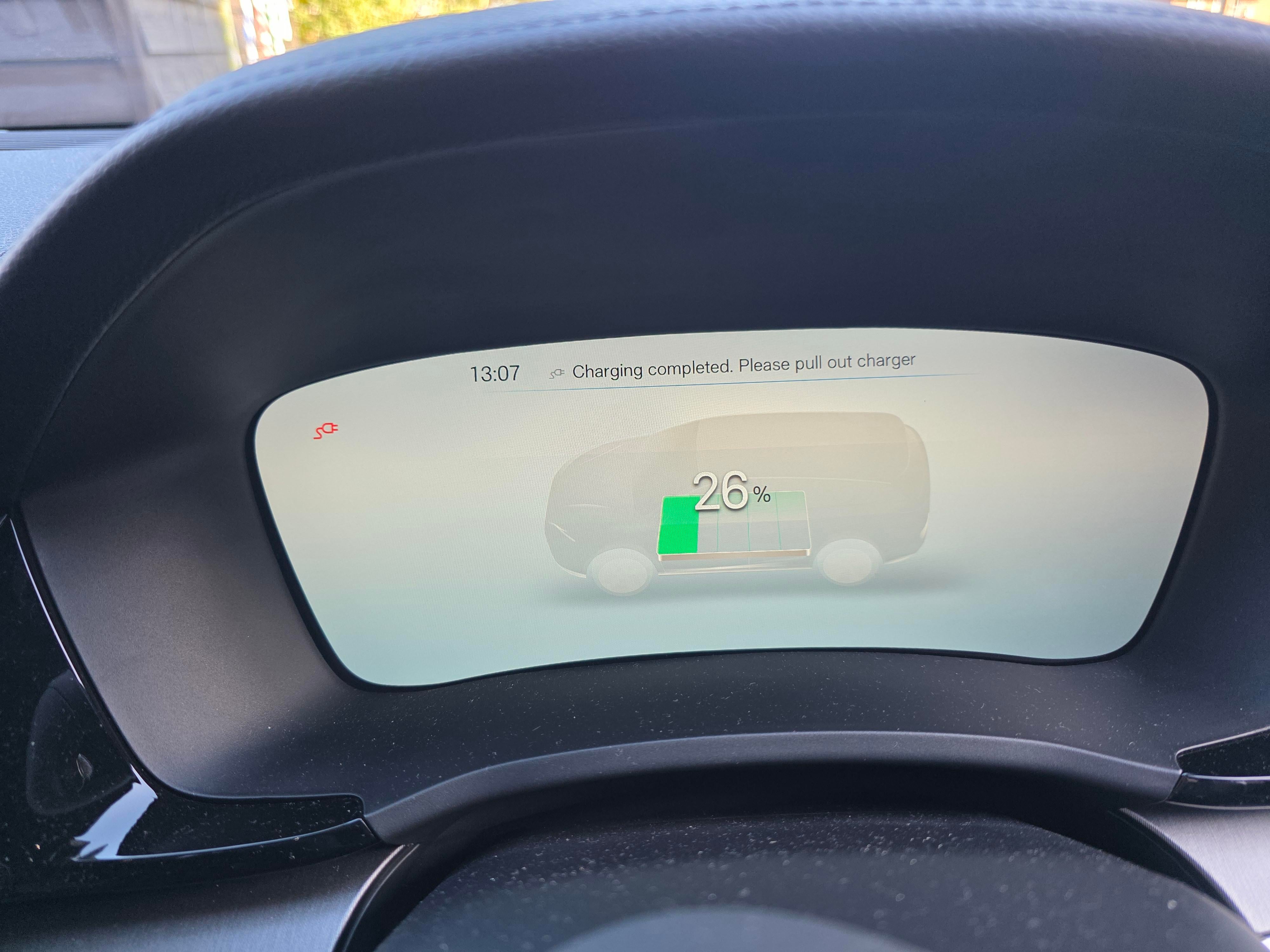
Im in the UK and have had the Seal U DM-i comfort since the beginning of November. I had an Andersen A3 charger installed and my energy supplier is Octopus so I went onto their intelligent Go tariff. The charger can be controlled via the octopus app and scheduled to charge during their off peak time (23:30 - 05:30). This worked fine for the first few charges but then I had a series of failed attempts. It didnt charge in the night and the app just said it had failed. I then turned off the scheduling on the octopus app and scheduled it via the car which also didnt work, I had a notification on my phone via the BYD app that it started charging but then stopped after a couple of minutes. Today I turned off all scheduling and plugged the car in, same thing happened, it started charging but then stopped after a couple of minutes (see photos). It's very frustrating, my next step is to try and public charger (which I've never used yet) and see if that works or not. I guess that should tell me if the issue is with the car or the charger. Any advice on how to get it working again?
Comments (2)
xHyperElite 2026-01-02 22:41

I have a similar issue with my Seal and Octopus Intelligent Go, albeit with a Zappi charger. It seems to be worse when I do longer charges and Octopus tries to schedule multiple different charging sessions. Spent weeks going back and forth with Octopus support trying to resolve to no avail. In the end, I’ve just set the Octopus app to always add +100% charge. Even if it charges outside of the evening window, it’ll still be priced at 7p/kWh. You’ll need to make sure scheduling is turned off on both your car and the charger. (Basically needs to act as a “dumb” charger for intelligent go to work)

Pigsay 2026-01-03 06:06

We had the same experience when we first got our Sealion via Octopus EV. The instructions we received seemed to suggest we had to set a charging window between 23:30 and 5:30 on the car. This isn’t the case on Octopus IG. You DO NOT need to schedule the charging. In fact, this will mess with the smart scheduling. Just set your desired settings in the octopus app - charge to add and time to be ready for then plug the car in. The smart scheduling should then do it all for you. The car may well charge for a couple of minutes then stop. But, let’s say you’ve set for the car to be ready by 6am - the smart scheduling should assign enough time to charge the car by X% by then. Test it by plugging in at any time of day then checking the app to see if it’s set a schedule an hour later (it’s usually quite quick but can have a delay)- it might be the odd 30 mins / hour until 23:30 but then it will often be overnight for the bulk. Whenever the car is charging in that way you’ll get 7p rate (or 6p if you’re via Octopus EV like us). As an aside, you can plug any car in and it will charge in the same way. However, despite this working the majority of the time we do occasionally get a failed charge overnight, at which point we power cycle the charger and it appears to resolve. Finally - the 23:30 to 5:30 window is still off peak rate irrespective so we usually set the dishwasher/washing machine on a delay start overnight to take advantage.

Add comment

Login is required to comment.

Login with Google