How can I play music via Bluetooth without Android Auto?
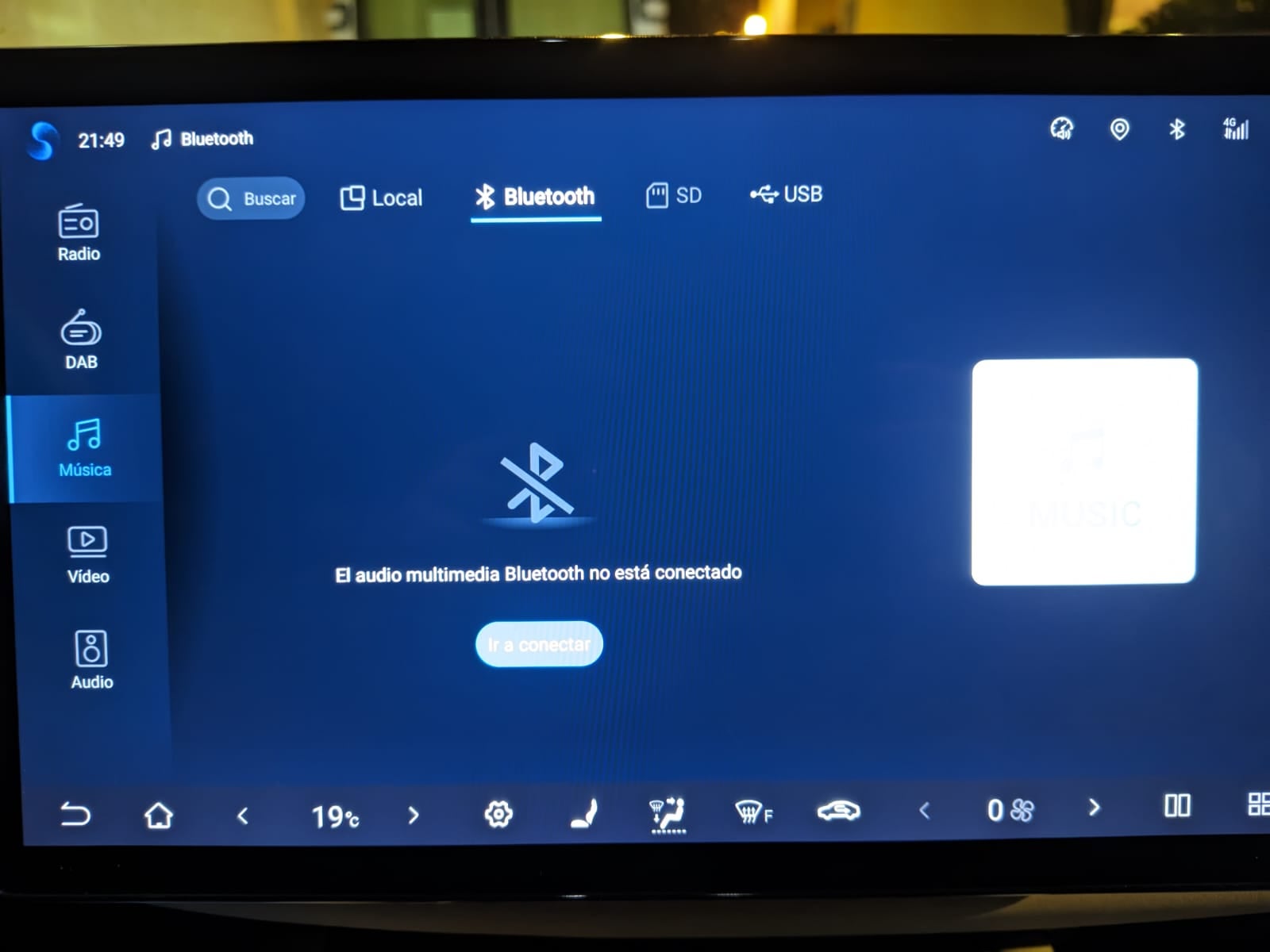
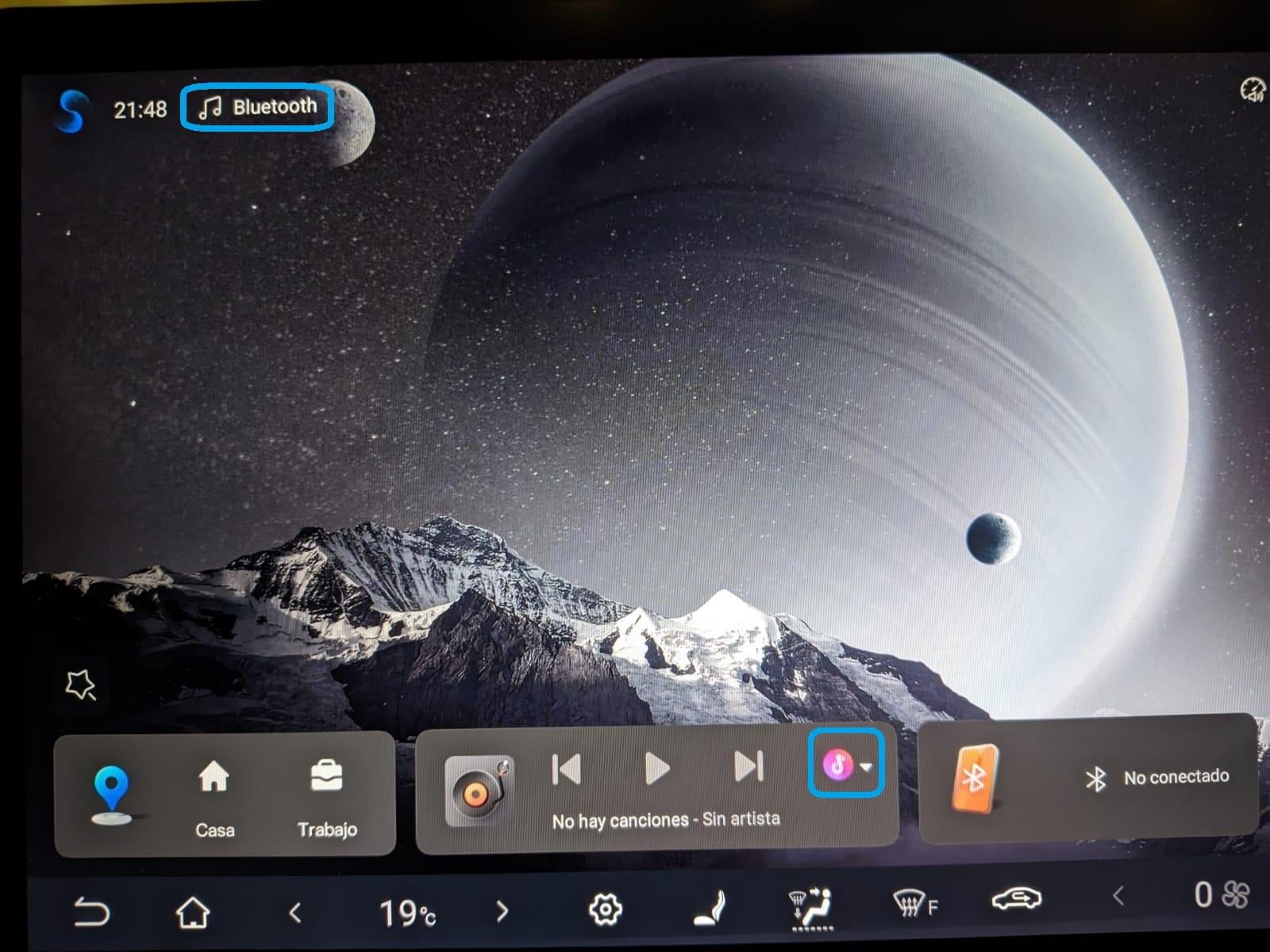
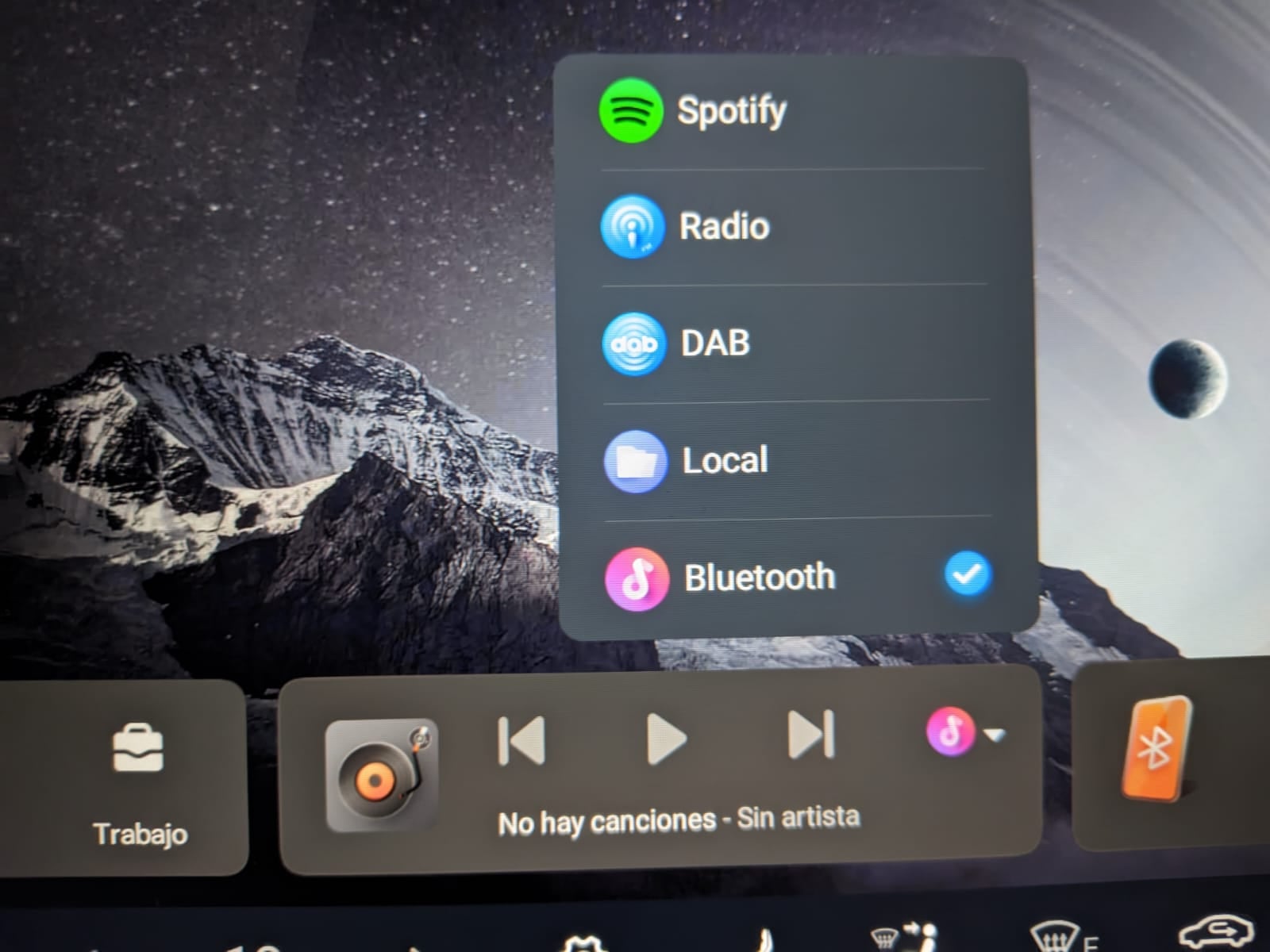
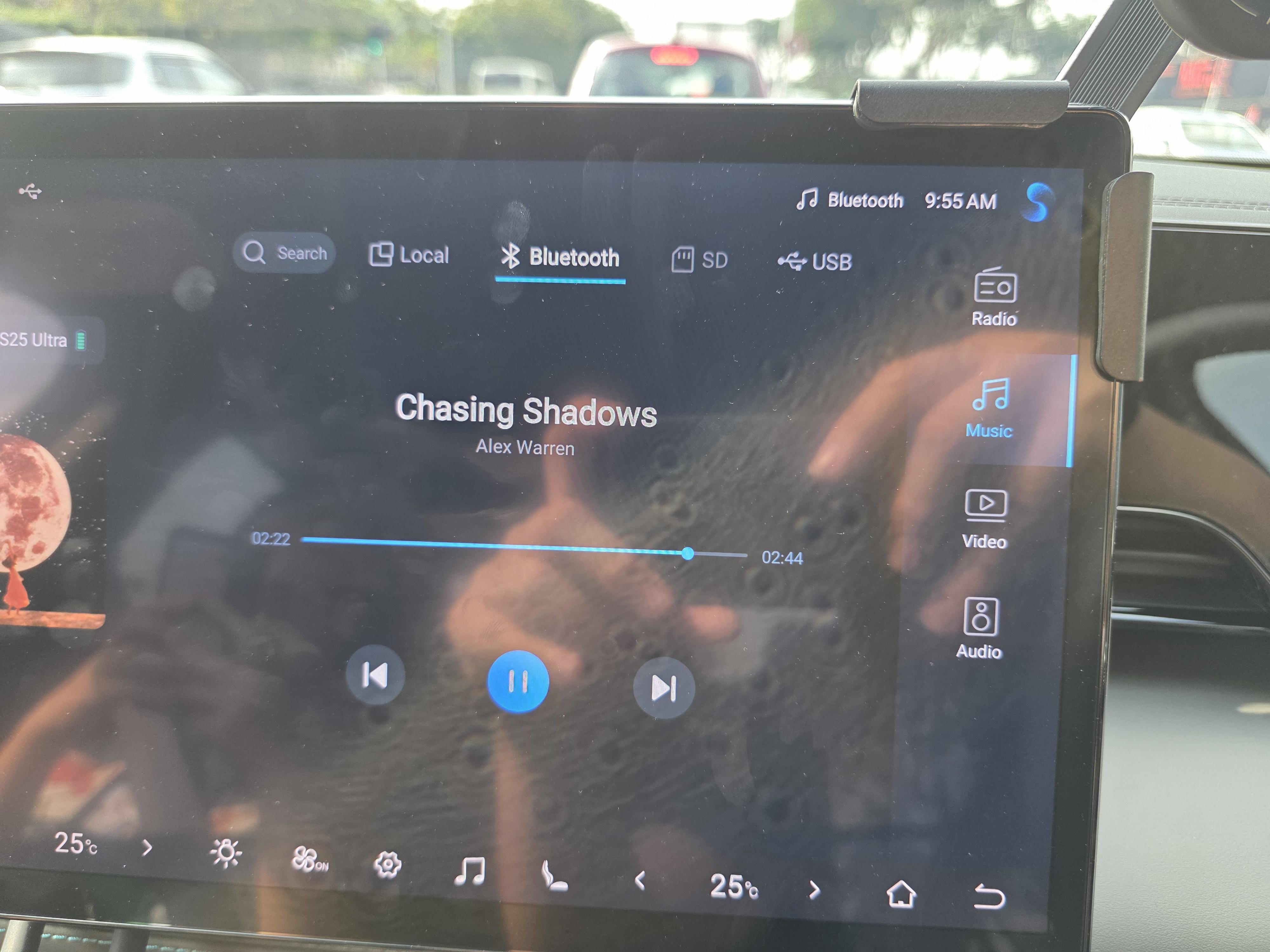
Hi! My current phone is incompatible with Android Auto (and other Google services), so I was trying to play music in a BYD ATTO2 (system version 13.1, although the problem already existed before the update) directly through bluetooth. Unfortunately, although the phone and the car seem to pair correctly (and the "media audio" permission is enabled for the connection in the phone), when I play music it plays in the phone and not in the car. Just in case it was purely a phone issue, I've tried with another phone, which has a regular Android OS, uninstalling Android Auto and pairing it with the car, and the same thing happens. Any idea about what to do to enable the car to play music through bluetooth without Android Auto? Thanks! **---------- SOLVED ----------** By default, the sound source for the BYD music player app is not necessarily set to "Bluetooth" (mine was set to "USB"). When that is the case, the bluetooth tab may not even show on the player interface. What I did (system version 13.1) was the following: 1. On the top left of the home screen there was a musical note icon with a text on the right indicating the current source. Mine was initially set to "USB". Don't click there to change it though, it will just load the music app. Instead, I clicked on a small round icon at the bottom of the home screen, next to the music player icon group. From there, I could set the source to "Bluetooth". https://preview.redd.it/l751bgh8as5g1.jpg?width=1600&format=pjpg&auto=webp&s=664775c185d46a1a2f59ebe87191942afe78029e https://preview.redd.it/qvok0hh8as5g1.jpg?width=1600&format=pjpg&auto=webp&s=e7ea3d9e7bae91522ead23bef92a98de3516d421 2. After that, when I opened the music app, it showed an extra tab for Bluetooth. Pairing my phone at this point (or if it was already paired), allowed music from the phone to play from the car's speakers. https://preview.redd.it/tw7brmznas5g1.jpg?width=1600&format=pjpg&auto=webp&s=a916682f494452fc06831b1e671b36c92afd12c6 And that was it. Many thanks to u/Nightstalker1993 for pointing me in the right direction.