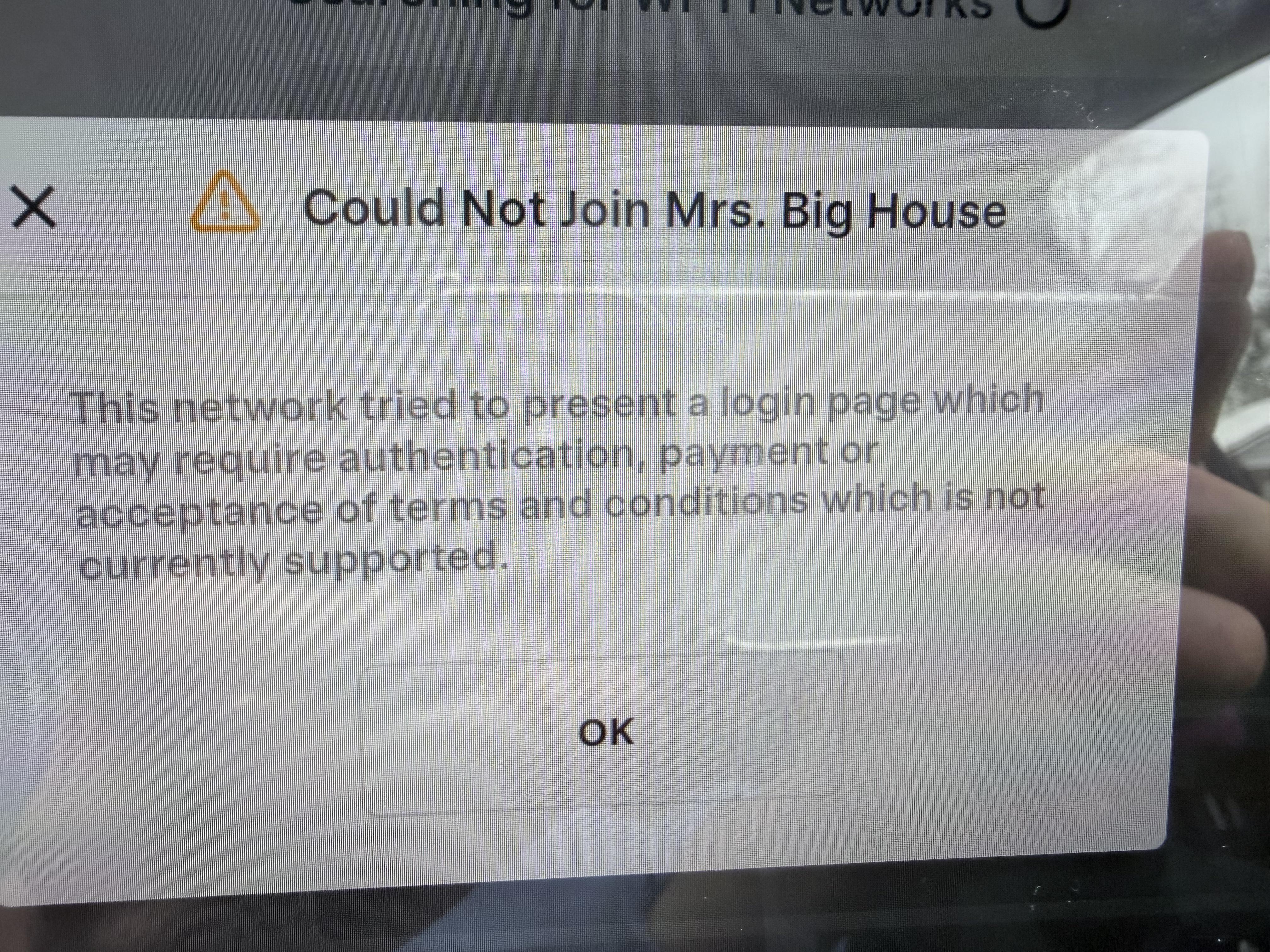
WildPineapple192
2026-02-23 03:28
Does your home router have an iot network that you can put the car on? Also on your phone, delete your home network and reconnect to verify that the router is not in fact presenting some sort of captive portal
trifster
2026-02-23 03:31
Power cycle your router. Unplug the power to it for a min then plug it back in. See if car reconnects.
BrownRogue
2026-02-23 03:32
Two things I can think of… first one(I’m sure you already tried this but wanted to say it) click on forget-connection and try again.
Secondly, try to connect to anyother network and if unsuccessful, the problem is with the car and you can raise a service request and hopefully they will try to fix it without taking your car into the service center.
Sorry if my reply isn’t of any help.
Hopefully your issue will be resolved soon.
(Also if you want to get the update first and deal with this issue later, go to any Tesla service center and usually the car should auto-connect to the service center’s wifi; you don’t need to have an appointment or checkin with any rep; sitting close to the service center should auto-connect-if the car’s issue is only with your home’s network)
LizardsoftheGhost
2026-02-23 03:35
This shit happens to my MX all the time. Usually just flipping the WiFi switch off and on fixes it, or just forgetting the network and rejoining does the trick
tibetsoul
2026-02-23 12:53
Try to reboot your car
phantomchess
2026-02-23 14:48
Sometimes that happens, usually just restarting the computer system fixes it.
swedishpiehole
2026-02-23 17:13
Unfortunately no. The Eero 6 does not offer IoT functionality.
swedishpiehole
2026-02-23 17:14
I’ve tried this multiple times. Also tried turning Tesla’s WiFi off and back on.
swedishpiehole
2026-02-23 17:18
There was no connection to forget! My Tesla suddenly acted as if it had never connected to my WiFi before. Nothing changed with my WiFi and no software changes on Tesla.
I tried connecting to my phone hotspot and that worked. However the software download stalled at about halfway through and I can’t leave my phone in my car all day waiting for it to continue.
Perhaps the new software update contains a fix for this issue but the nearest SC is over an hour away.
trifster
2026-02-23 17:18
Try to connect to a different Wi-Fi (like hotspot your phone). If the car connects, then there could be an issue with your home router. While annoying, I don’t necessarily like the period in your SS ID name. Maybe remove the period from your network name and try again.
swedishpiehole
2026-02-23 17:19
Tried turning WiFi on and off. There is no network to forget as the Tesla has completely forgotten my home network already.
swedishpiehole
2026-02-23 17:19
Already tried this.
swedishpiehole
2026-02-23 17:19
As I said in the original post I tried rebooting the car.
swedishpiehole
2026-02-23 17:25
Here is what I have tried:
Rebooting the car
Toggling car’s WiFi off and on
Setting router to 2.4 ghz
Creating a guest network (I get a different error when trying to connect to that: “The internet is unavailable. Please check your internet setting and internet connection.”)
Setting my router to IPv4
Setting primary DNS to 8.8.8.8 and secondary to 8.8.4.4 (Google)
The Tesla does connect to my phone’s hotspot. However it never has an issue connecting to my home network until now. Nothing has changed on my network other than that I added some Matter devices to it. But no other devices are connected to the guest network. WPA3 is not enabled on my router.
Is there anything else I can try?
tibetsoul
2026-02-23 19:08
Try to connect to your hotspot and see if it connect or not. If that works than something to do with your WiFi
swedishpiehole
2026-02-23 19:33
I made another post with everything I have tried, including making a guest network (no period in the name). It does connect to my iPhone hotspot.
swedishpiehole
2026-02-23 19:34
It does work with the iPhone. Can’t see how my WiFi is at fault since the car used to connect fine and nothing changed.
trifster
2026-02-23 21:24
nice. I've had issues like yours with other wifi devices...very often it's the start of my router dying. I had a ubiquity edgerouterX that would stop routing to clients and generally slow down. after 2 factory restores, I replaced it with a GL.iNet router and it was night and day. new router just cooked.
swedishpiehole
2026-02-24 00:40
Oh god I hope it’s not that! I have an Eero mesh network with 3 units that is only a few years old. It would be very expensive to replace…