Outrageous-Papaya650
2026-01-14 11:43
Just seen it, not tested tho
anpanman100
2026-01-14 13:19
Interesting. Does this mean the screen can be used for casting to while driving?
Rendig
2026-01-14 20:01
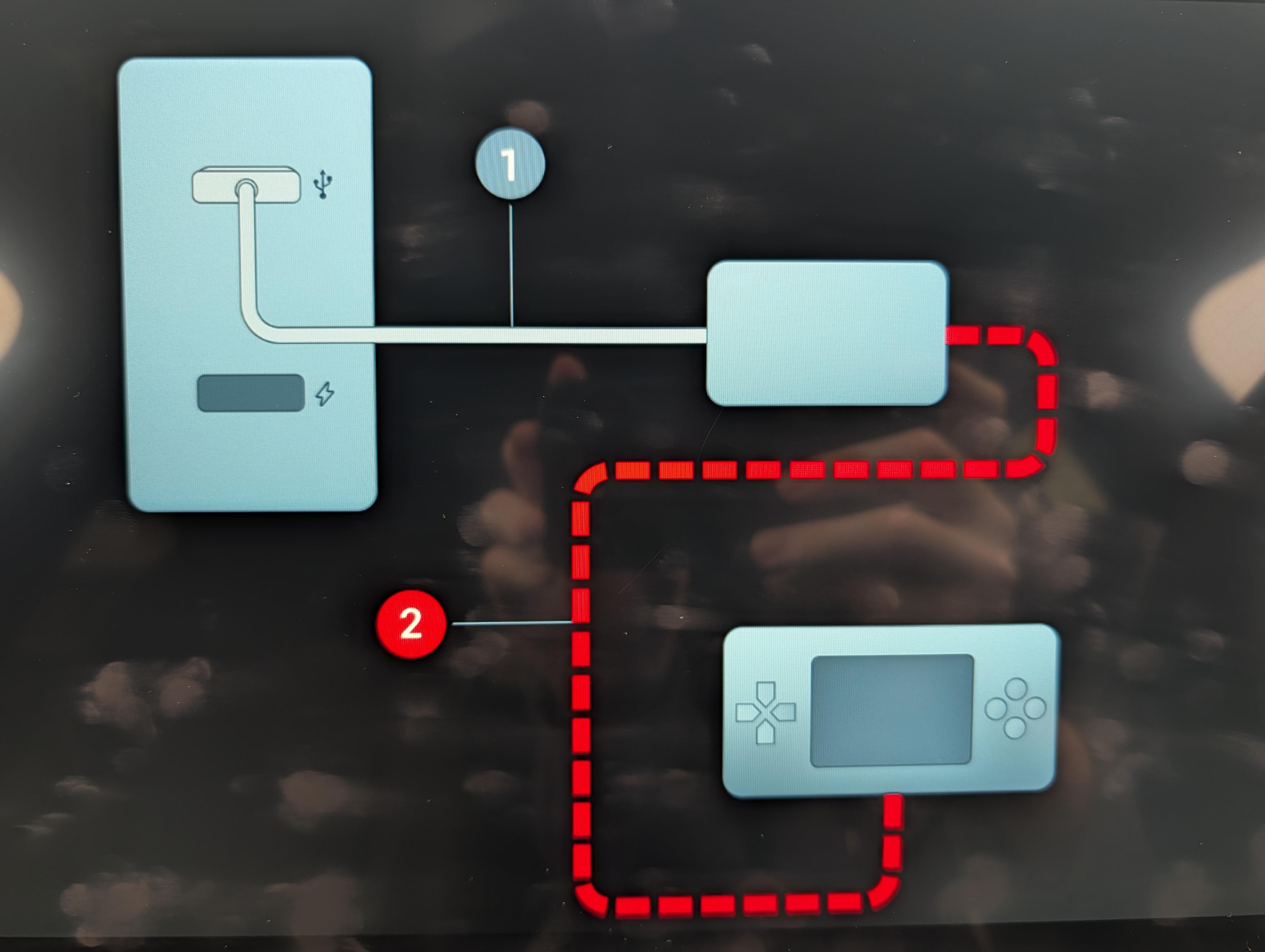
Just tried in my wife’s Dolphin using iPhone and Steam Deck with a ugreen usb c capture card. Couldn’t get it to work, car detects the card, phone/steam deck detect the card as a display, but the app says there is no connection between capture card and iPhone or steam deck. Tried connecting a power source too but no luck. Maybe there are some settings to tweak 🤷
bryanhad
2026-01-16 10:05
Exactly the same with me but with a BYD Atto 3 and a Nintendo Switch 2 or an Android Phone.
I have the UGREEN capture card connected to the USB A port, with power going into the side of it from one of the cars USB C ports. Then connect the capture card to my Phone/Switch 2 and tell them to mirror to the device then get:
https://preview.redd.it/w1bk95doqodg1.jpeg?width=4080&format=pjpg&auto=webp&s=14afd703c7b32a190cecd735c3f25d40146d759f
So the car recognizes the UGREEN device and my phone recognizes it - but the car doesn't see the Phone/Switch 2
met911
2026-01-17 14:54
It only works when the car is in P gear which for me limits the use cases a lot
met911
2026-01-17 14:54
I don't have the cable but when I tried to run app while driving, it did not work. Asked to be in P gear
Icefeldt
2026-01-18 21:59
In the German Seal Forum, a user just plugged in his UGreen Capture Card and then he could connect notebook/switch/phone:
https://www.byd-seal-forum.de/forum/thread/1688-byd-cast-app/?postID=50525#post50525
FantiR24
2026-01-19 18:34
I have the same experience, I've tried different devices that use DP with the USB-C UGREEN Video Capture Card but it gets stuck to that screen without showing any video.
Rendig
2026-01-20 20:12
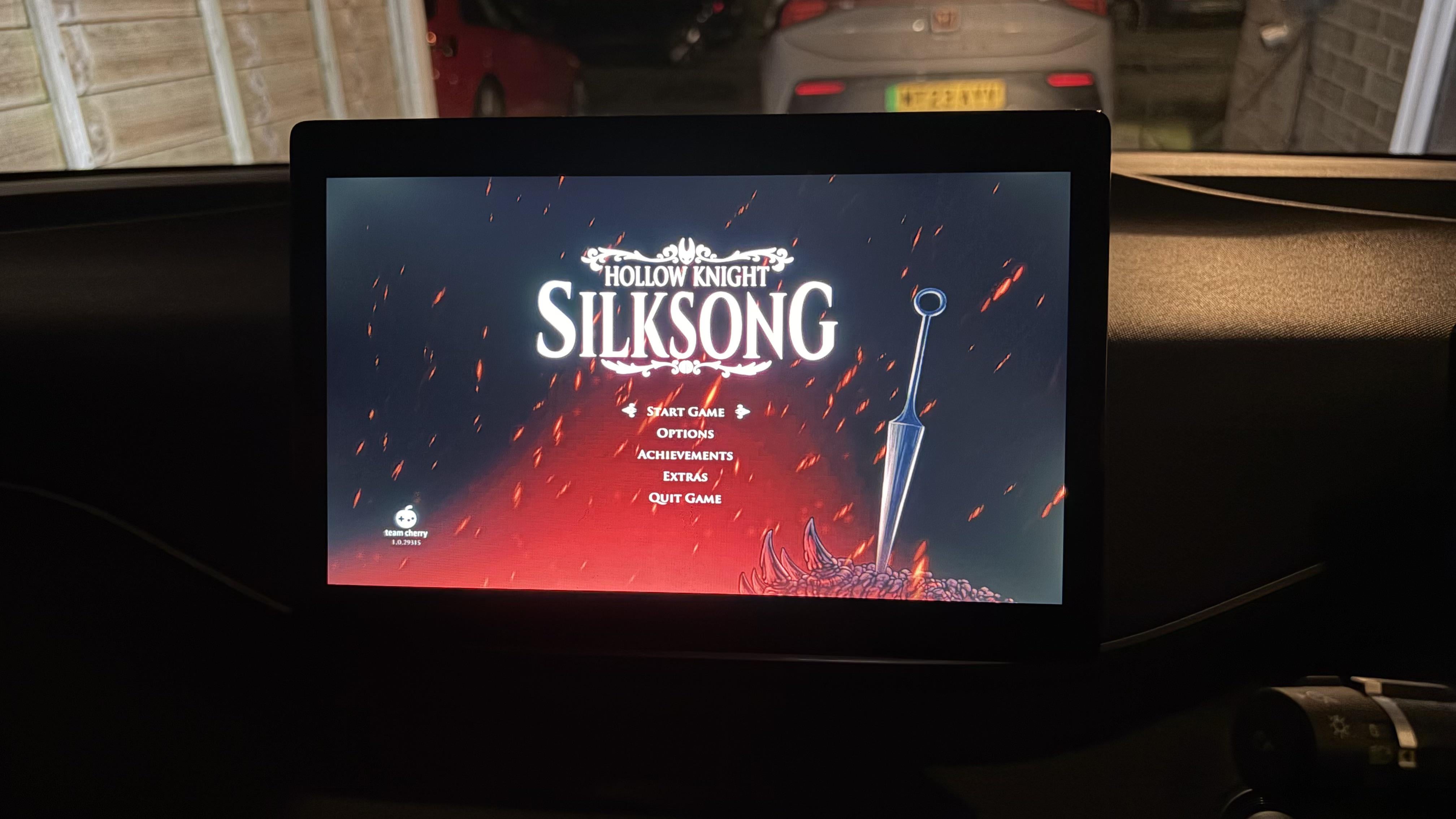
Had some luck after restarting the infotainment. It’s ok, not bad but not great. Don’t know if it’s a limitation with the car or cheap capture card. Slight input lag means probably better for video, but it’s a cool feature I’d like to see develop further!
https://preview.redd.it/428gsojmakeg1.jpeg?width=4032&format=pjpg&auto=webp&s=3d1bdc36b0d3008d11acd3cd67e378cc05787835
bryanhad
2026-01-22 17:48
That got it working for me thanks! :) I noticed if I unplug and plug in again I have to restart the infotainment again, which is a little annoying but not the end of the world!
I tried it with Netflix while fast charging and it largely worked well, every now and again picture and audio dropped for about a second but it recorded quite quickly
CoatsyJnr
2026-01-22 23:56
Are you in Australia? Was it in the app store or do you have the APK?
CoatsyJnr
2026-01-22 23:58
Does it work in cars other than the seal
Rendig
2026-01-23 08:04
I’m in the UK. Was available in the BYD Store. Assume it’s available everywhere
Rendig
2026-01-23 08:05
I have it working in a Dolphin Surf (as it’s know in the UK)
CoatsyJnr
2026-01-23 08:39
Installed the app earlier today on my Dolphin Dynamic here in Australia. Just need to purchase the right cables to use as the data port is the USB A one (USB C is 65w only, no data)
OzBestDeal
2026-01-24 22:54
Is this what people use as capture card?
https://amzn.asia/d/2TSPePm
I'm guessing we need switch dock something like this as well, hdmi cable, and a power.
https://amzn.asia/d/ihCUhQa
OzBestDeal
2026-01-24 22:56
Need to scroll down on byd store app.
I didn't know we can scroll down until now 🤣