A_Ram
2025-07-25 06:58
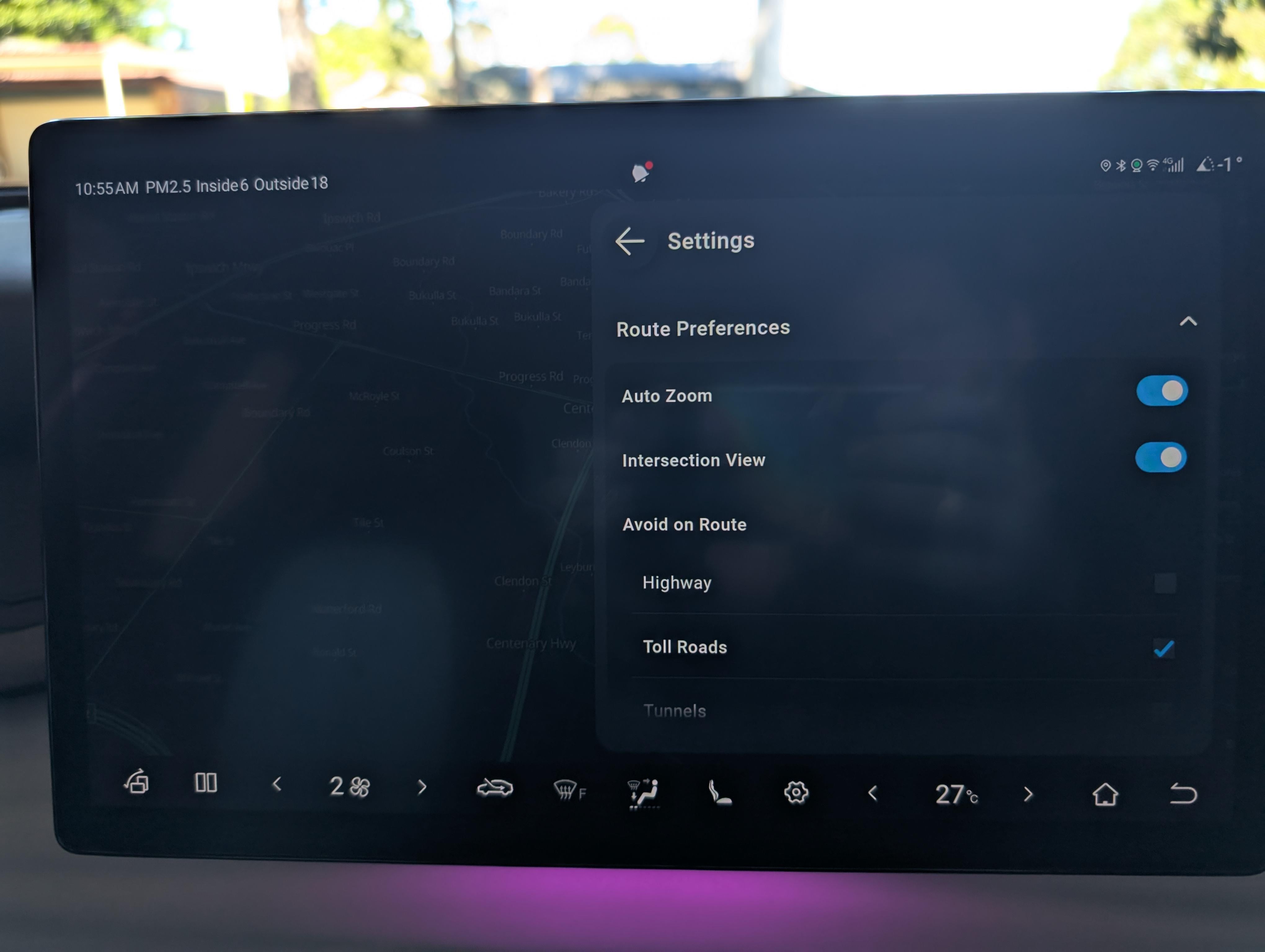
there is avoid toll roads option in the settings. In some cars after the UI update the tick box didn't work but clearing the app cache seems to have solved the issue for me.
urthow
2025-07-26 21:03
In which settings? In the map apps settings there is no option and in the cars settings I didn’t see it either.
A_Ram
2025-07-27 00:57
https://preview.redd.it/yh3tgo67fbff1.jpeg?width=4080&format=pjpg&auto=webp&s=53dc2095fcbff5a24b4cab3ef022a9067204811f
click gear in the nav app, and then route preferences, avoid on route, toll roads
urthow
2025-07-27 21:52
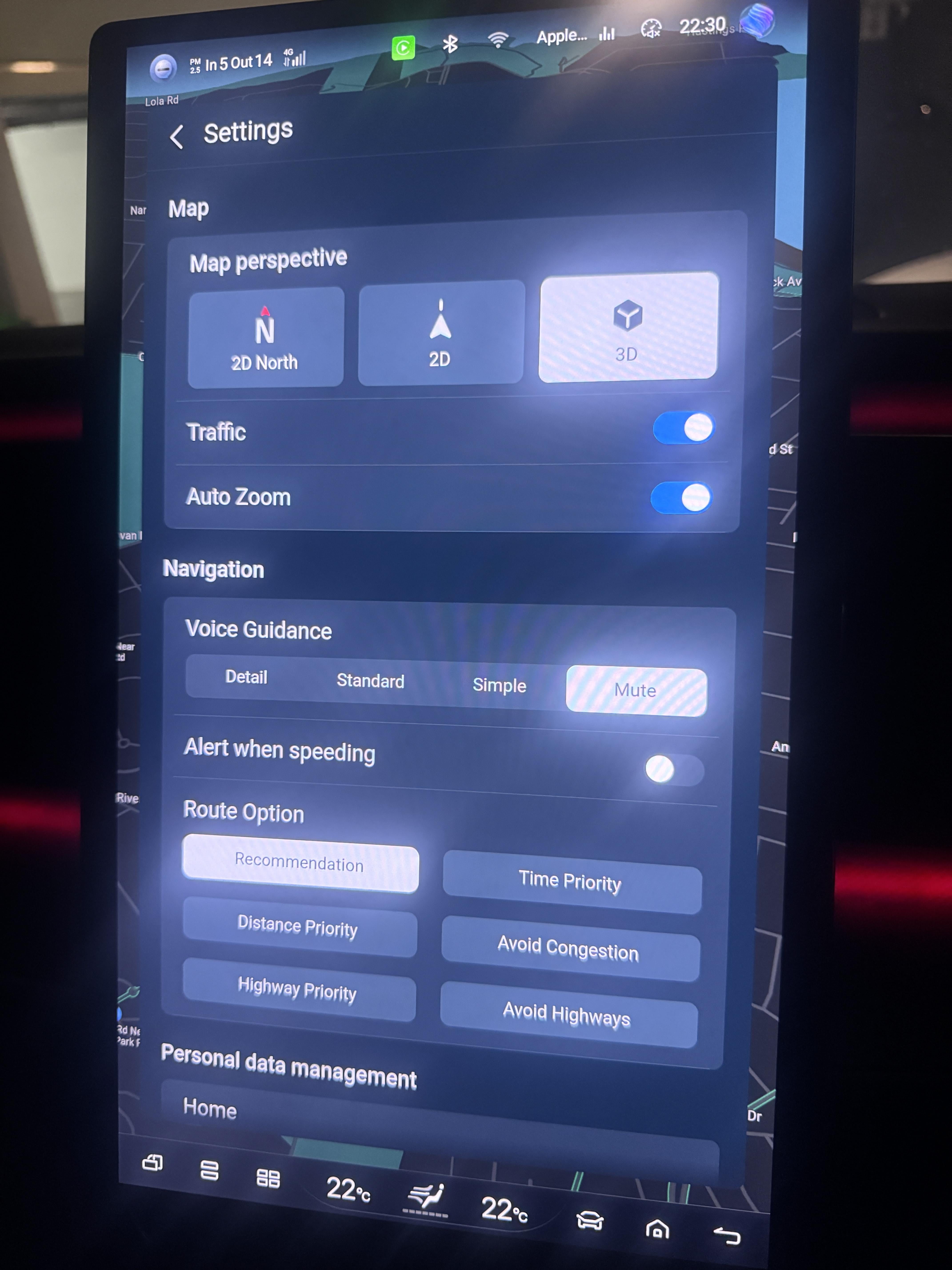
Legitimately, my interface doesn't have this option.
This is all I have.
https://preview.redd.it/3x54obbymhff1.jpeg?width=4284&format=pjpg&auto=webp&s=2d6a6666b81afc3ceed38e3917762b6e977667f2
Furthermore the bottom of my interface doesn't look like yours either. I have it rotated in the photo to get more but even horizontal there are some differences. For one, the gear icon is inside the navi app rather than on the bottom bar. Any ideas? This is from a sealion7 btw but I don't really understand why the UI would be different across the models when they are all running the same android.
A_Ram
2025-07-27 22:06
An older user interface version in my atto 3 had this option as well. It could be a region specific issue. What country are you from? Probably worth sending your screenshot to the local byd support team.
urthow
2025-07-28 01:46
That's good to know. I'm in Australia.
A_Ram
2025-07-28 02:38
I'm from Australia as well, so the option should be there.
You can send the question to a support team or ask to check when you bring it next time for service. If it is new there is a complimentary service after the first 3 months or 5000km.
urthow
2025-07-28 03:45
That is very interesting, are you in a sealion7 too?
A_Ram
2025-07-28 04:46
no I have atto 3. There's been 4 different infotainment software updates in the past 2 years and the toll road option was there all the time.
BYDREAMAU
2025-07-29 03:13
Same thing — I couldn’t find an ‘Avoid Tolls’ option either in the built-in system. Honestly, I just stick with Google Maps most of the time. It’s way more user-friendly.
urthow
2025-07-29 07:28
The in built system is using google maps so i'm surprised it's so different.
I like the in built system best because of the way it shows up on the dash screen. Using it on my phone doesn't do that.
james4bs
2025-07-30 21:31
- Using my phone doesn't do that.
Yes, it doesn't work if you're using Google Maps on an iPhone. You have to use Apple Maps. It works perfectly fine for Android though. I have SL7 and Android phone. Works perfectly.
None of these show up on the HUD though. You have to use in-built nav for that.
chupchap
2025-10-05 05:42
Start the navigation and then press the gear icon. You should be able to find it then
urthow
2025-10-05 08:12
Thanks. That’s the first thing I did and it’s not there.
chupchap
2025-10-05 09:19
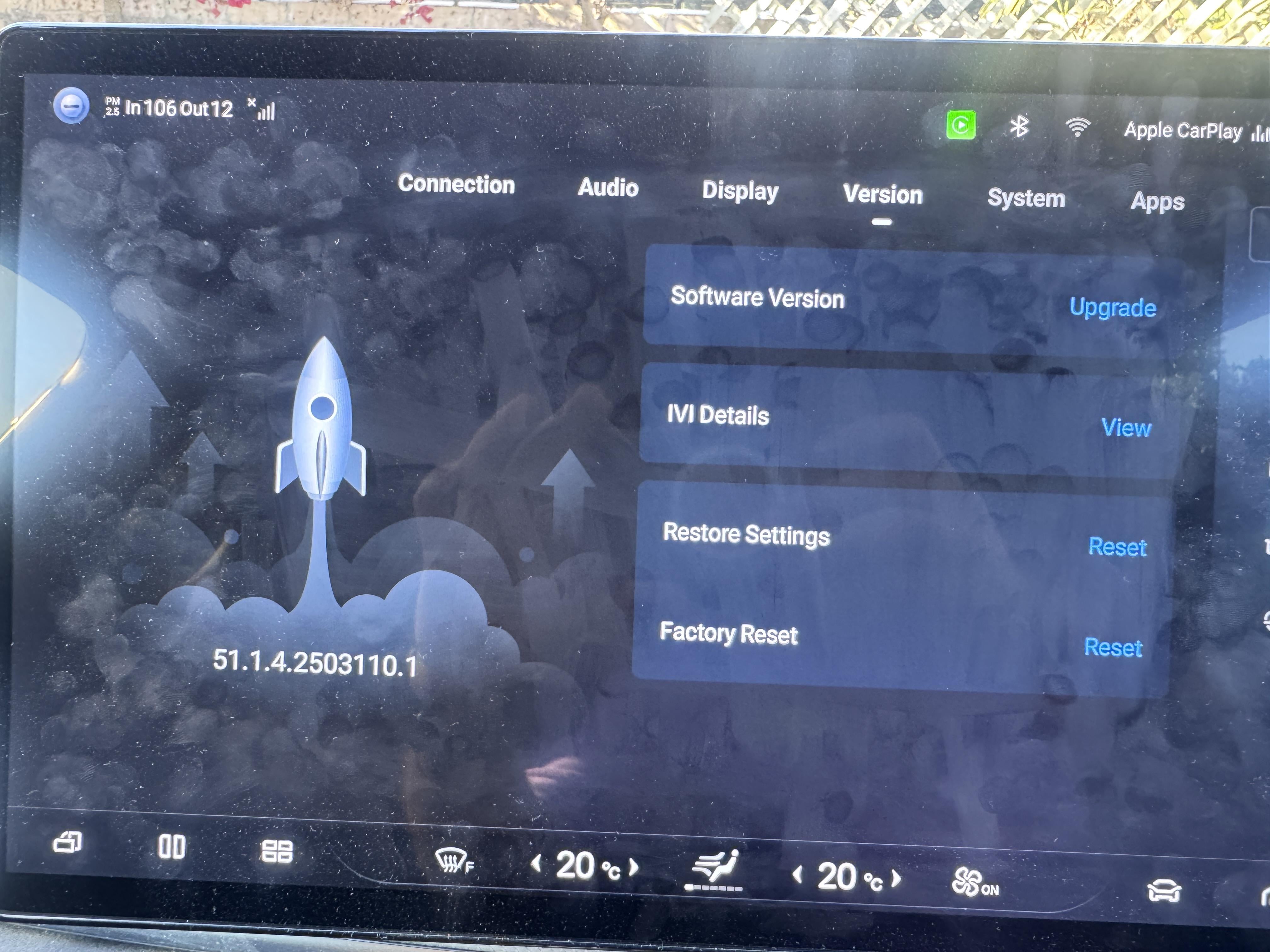
Oh that sucks! What's the version of your software?
urthow
2025-10-07 21:52
51.1.4.2503110.1
https://preview.redd.it/xfdb02xpgrtf1.jpeg?width=4032&format=pjpg&auto=webp&s=c4fe57036594f58fc114d22bc6f58ef006edd1c8