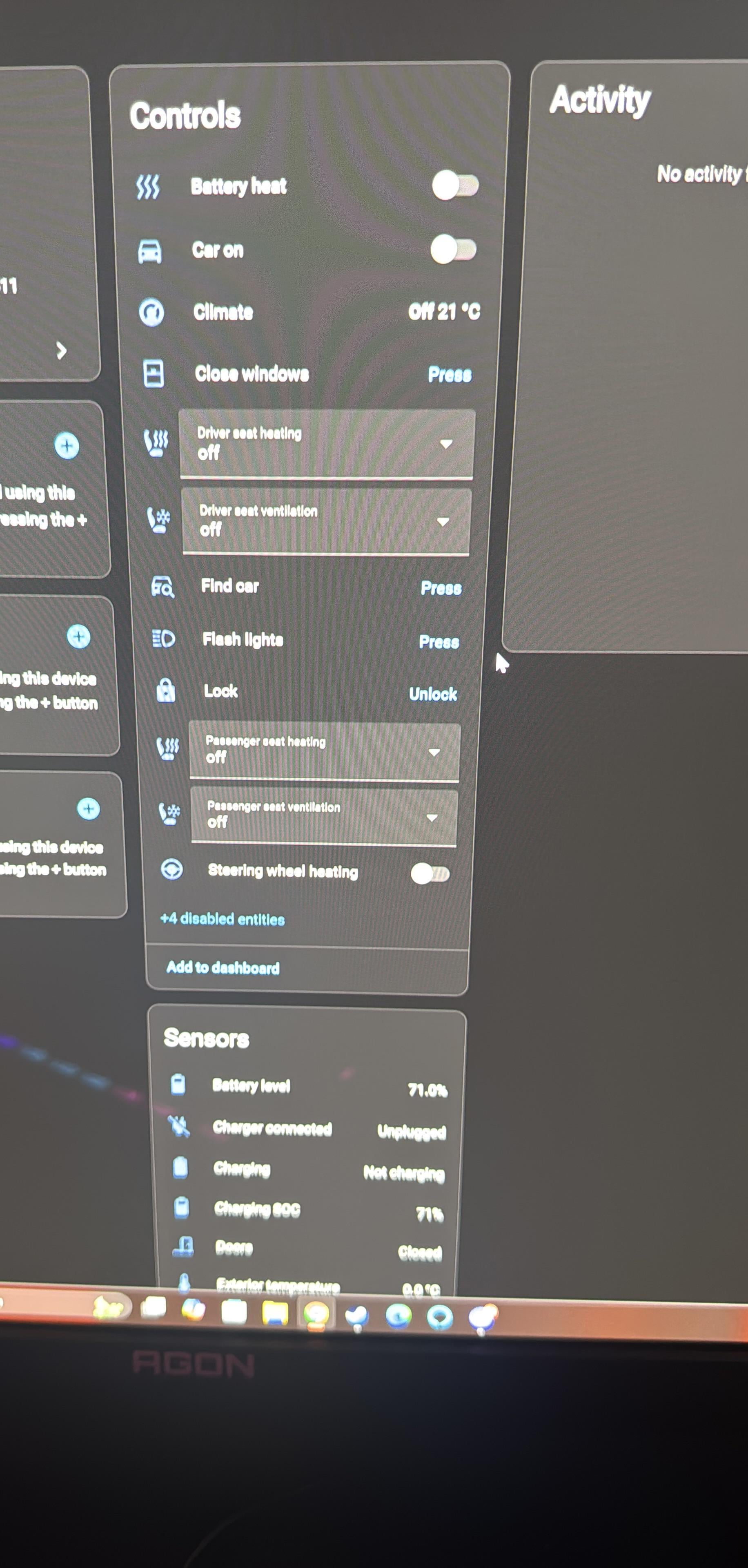
THATS_THE_BADGER
2026-02-13 09:50
I've been waiting for someone to successfully reverse engineer the BYD app for two years now and it looks like someone's cracked it, *and* built a custom integration for Home Assistant!
> The byd_vehicle integration connects Home Assistant to the BYD cloud service using the pyBYD library. It provides extensive vehicle telemetry, GPS tracking, climate control, door locks, seat climate, and remote commands for BYD vehicles.
francovilar
2026-02-13 10:11
Thank you for the information!
Sample-Range-745
2026-02-13 11:38
Pro Tip: Create a second BYD account and authorise it from your main account. Otherwise it will log you out of the app on your main account - as you can only use the login on one device.
Ok-Database-4624
2026-02-13 11:49
Ahhh that is good to read it finally happened! I still remain very suspicious as BYD will probably try their best to keep things closed-source as much as possible...but I'll give it a try!
VikingOy
2026-02-13 12:41
Excellent news! Thank you so much for your effort.
Funny_Translator1347
2026-02-13 14:46
For Alexa too?
jkaberg
2026-02-13 16:29
yes, I agreed. However I truely hope BYD realises theres an oppertunity here instead of just letting corporate greed drive them.
Instead of continuing with the locked down API they release an open one instead, well atleast one could dream, right?
Anyway, couldn't have done it without [https://github.com/Niek/BYD-re](https://github.com/Niek/BYD-re) \- you should all thank him
Ok-Database-4624
2026-02-13 16:55
I got it working, but the concept of the secondary BYD account does not seems to work in combination with the integration. The integration requires a login/password and when I create/authorize a secondary mail-account through the app you are not prompted to put a password on that one ? Strange.
BraiNiaaC
2026-02-13 19:51
Well done, integration works smoothly and I finally can integrate the car with automations
Searchl
2026-02-13 20:00
Legend thanks! Been using the SmartCar integration but it has an annoying API monthly cap.
VikingOy
2026-02-13 20:08
You say you did get it working. So I guess you used your main BYD account then (since the concept of a secondary account failed). How then do you handle the logout issue since BYD does not allow more than a single login at any time?
Ok-Database-4624
2026-02-13 20:35
I don't ;-) Indeed when I now open the Android app I need to login again.
So this is not so ideal situation to work like this. Is there anyone actually have this working that the HA integration effectively uses a "delegated" access ?
Not fully waterproof here I think.
VikingOy
2026-02-13 21:07
What do you mean "smoothly"? How about this issue; [https://www.reddit.com/r/BYD/comments/1r3l3wz/comment/o56xswn/?utm\_source=share&utm\_medium=web3x&utm\_name=web3xcss&utm\_term=1&utm\_content=share\_button](https://www.reddit.com/r/BYD/comments/1r3l3wz/comment/o56xswn/?utm_source=share&utm_medium=web3x&utm_name=web3xcss&utm_term=1&utm_content=share_button)
Did you manage to solve this?
THATS_THE_BADGER
2026-02-13 22:17
Yes I set up a second account (mainemail+homeassistant@gmail.com), delegated full access.
After going through all the set up steps on the BYD app on my phone, including setting a pin for unlocking etc, I logged out and logged back into my mainemail@gmail.com, then configured the integration on HA with the delegated access account.
The app prompts me to set up a password etc as with my primary account. Not sure where you're going wrong.
BraiNiaaC
2026-02-14 04:35
Yeah, all working perfectly, just create a secondary user, and the CAR should have a 6 digit PIN code, across all accounts. That’s it all
https://preview.redd.it/reefs7ub2ejg1.jpeg?width=1832&format=pjpg&auto=webp&s=0f9bb56e04556bced61122b1113e348628ad08c9
Ok-Database-4624
2026-02-14 09:03
I got it working now with a secondary account after re-creating the delegated account. All good now!
thisnorwegianguy
2026-02-14 13:17
I get "Invalid authentication", i have tried with both main and 2 auth accounts? any idea what that could be?
THATS_THE_BADGER
2026-02-14 21:17
Have you chosen the correct regions
thisnorwegianguy
2026-02-15 10:36
It was a case of to complex password, shorter password without spesial characters and it worked perfectley. All credit to developer
Minute-Speech-8286
2026-02-15 13:22
Is it absolutely necessary to enable debugging mode? Or can it finally be enabled without difficulty in very recent versions?
LorfOfHaggis
2026-02-16 07:33
It just worked. of course between me reading about it, installing it and then configuring it, and updated version was released. Easy update and it just works.
Anyone built any amazing dashboards around this yet?
VikingOy
2026-02-16 11:50
Worked at first try. Thank you! Remarkable amount of entities and sensors available 👍
But the most important sensor remains "unknown" and that is the Location sensor!
Has anyone been able to populate that sensor?
THATS_THE_BADGER
2026-02-16 20:33
Did you grant access to location to your secondary BYD account?
VikingOy
2026-02-16 20:38
Yes, I did. But I guess the process of setting up a new account caused the GPS positioning to be flushed/reset, thus the most recent position no longer exists, and since my car is inside an undergrund garage there's no new update.
I've come to this assumption after discovering that may Android BYD App also fails to show position now, after logging out and back in.
I guess I'll have to take her for a spin to find out 😊
SweatyButterscotch2
2026-02-17 16:39
Can't wait to see how creative people get with their dashboards for this one.
OneIndependencee
2026-02-19 14:40
Wow thanks, I was looking for an integration for BYDs. Hope it will work in the future as well.
IMSancho
2026-02-20 13:49
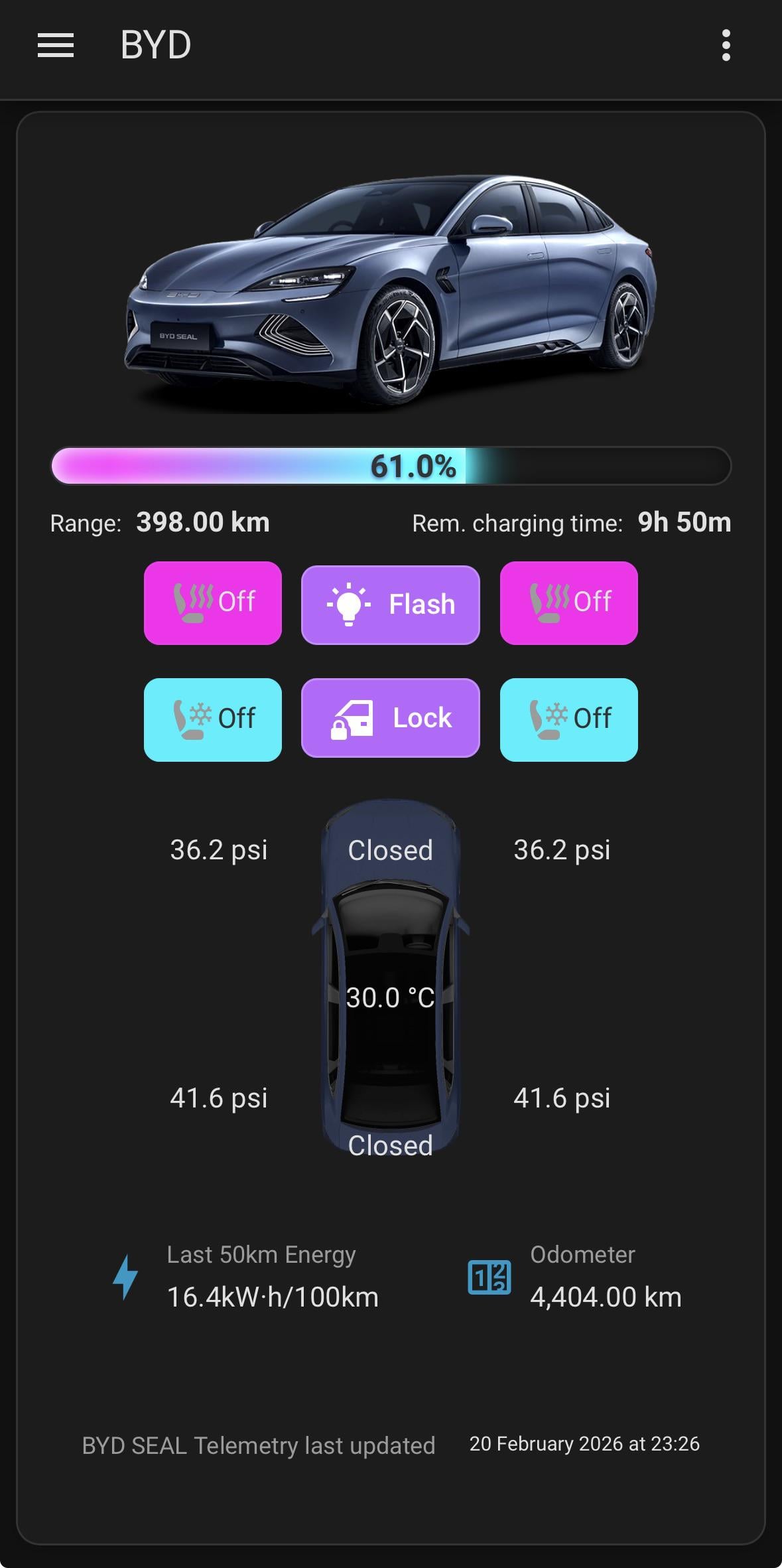
I used an ultra card template from user ‘AtillaP’ as inspiration, reworked it for RHD Australian version and match my neon colour scheme:
https://preview.redd.it/bx1i8g39mnkg1.jpeg?width=1179&format=pjpg&auto=webp&s=5d3724360205262cdd5fc1569e8602160ae52be5
Original template [here](https://ultracard.io/presets/byd-vehicle-control/)
silent_noch_27
2026-02-21 02:15
Anyone know if this allows you to schedule or turn on/off the AC charging?
silent_noch_27
2026-02-21 05:43
Decided to test it myself. Cannot see charging on/off or timetable functions.
THATS_THE_BADGER
2026-02-21 07:01
Yes it does.
silent_noch_27
2026-02-21 07:51
Really, where? I could not see under controls.
Can see a sensor for charging, but that's not what I'm after.
https://imgur.com/a/l72dPvH
THATS_THE_BADGER
2026-02-21 10:33
Click on climate and it opens a pane.
silent_noch_27
2026-02-21 22:24
Ah sorry for the confusion. I'm looking for settings which turn on/off the granny charger, not the air con.
By AC I meant the AC current, not air con 😅.
I was looking to link up the charger to my solar panel sensors. So I can charge when there's excess solar etc
LorfOfHaggis
2026-02-21 23:17
Wow, looks great. Are you willing to share the exported template from your rework? I can see the rework and love what you did with the top down view.
IMSancho
2026-02-22 07:22
Here's the current attempt, seat controls still aren't quite working and it points to helper sensor templates that convert the kpa readings to psi for the tyres so will need to create those or change the target.
[https://gist.github.com/IMSancho/103e807c6f8a2ceeabd9971e3e631275](https://gist.github.com/IMSancho/103e807c6f8a2ceeabd9971e3e631275)
LorfOfHaggis
2026-02-22 08:16
Thank You!!!!
I'll have a play and see where I go with it. Atto3 here so I guess some sensors will be quite different than the Seal, but I like it.
tksk_Hectik
2026-02-26 11:28
This looks really nice.
How do I get this working with yaml in UltraCard? Never relly used UltraCard before it just give s me a preset code. Is this behind a paywall?
IMSancho
2026-02-27 01:31
All you should need to do is create a new card, and at the top of the ultracard layout menu there is an import button. Click that and paste the code from here [https://gist.github.com/IMSancho/103e807c6f8a2ceeabd9971e3e631275](https://gist.github.com/IMSancho/103e807c6f8a2ceeabd9971e3e631275)
bapesta786
2026-02-27 16:42
mines constantly shows as plugged in, anyone else the same?
avpap
2026-03-08 08:39
Any chance of the byd integration , ahem, INTEGRATING 😁 with evcc to charge byd cars?
giupp70
2026-03-08 22:03
Non si rischia così di aprire la strada a possibili attacchi hacker?