Minute-Speech-8286
2026-01-03 12:49
You should go to your album and set it as your wallpaper!
Minute-Speech-8286
2026-01-03 12:51
Where are you located? I also have the same model and setup as you.
MrManny
2026-01-03 12:52
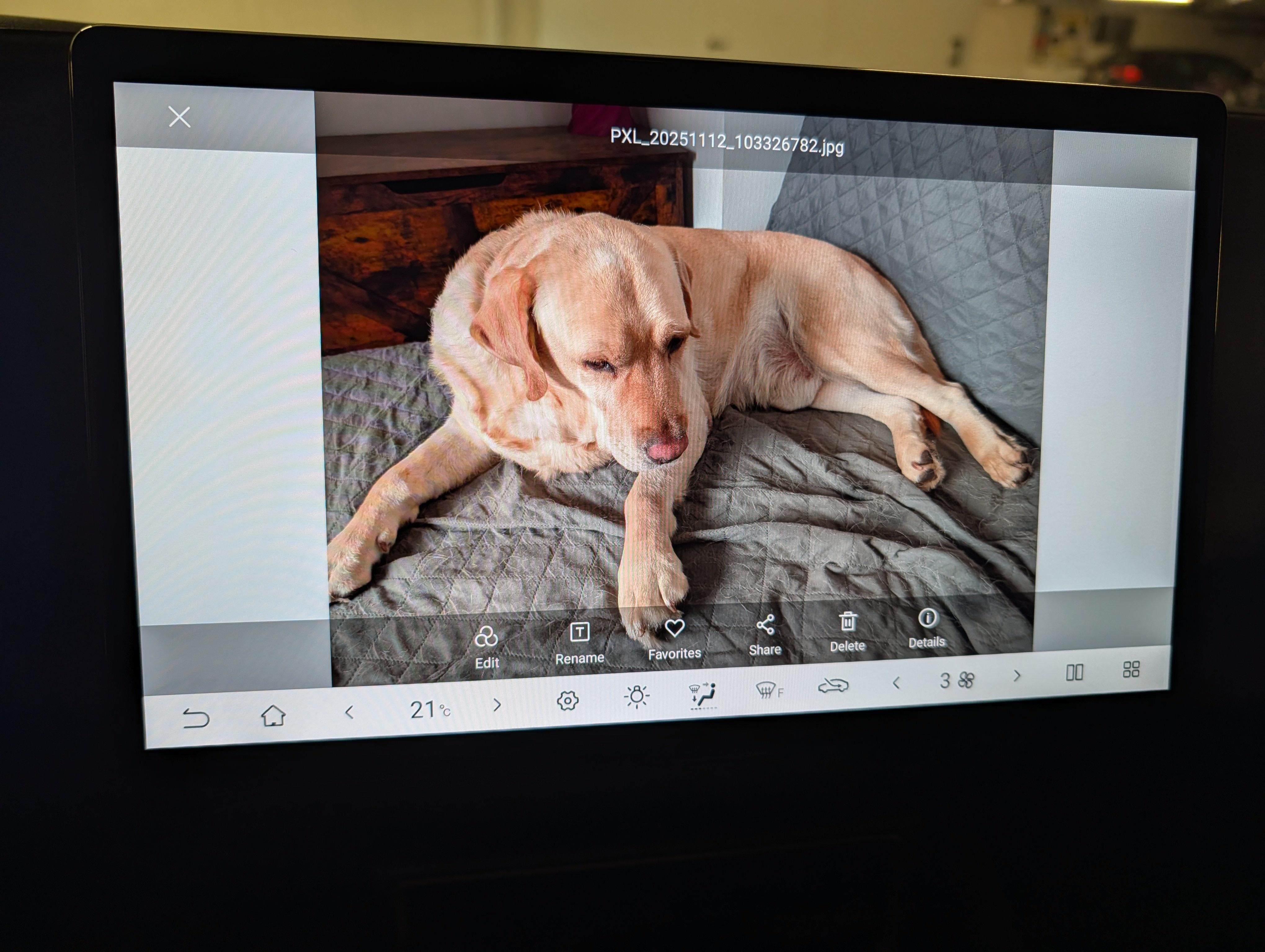
Hmm. How would that option be called? When I opened any of the images in the Albums app, I only see Edit, Rename, Favorite, Share, Delete, and Details.
Edit: for context, the car is on version 2.
MrManny
2026-01-03 12:56
I'm in Austria.
Minute-Speech-8286
2026-01-03 12:58
Italy, I'm trying to mount the original Dash-Cam, without success, it doesn't seem to exist yet for this model
Minute-Speech-8286
2026-01-03 13:40
https://m.youtube.com/watch?v=t8m9kfSfmpo
MrManny
2026-01-03 17:24
Odd. There is no "Set as wallpaper" button for me. Does the image have to be a specific kind of JPEG for that to work? Mine are encoded in 4:2:0 progressive.
Edit: https://imgur.com/YcdC8Ez
Seal-EV
2026-01-03 22:31
I moved it from a USB stick. Just look around and you will see it.
[deleted]
2026-01-04 16:12
[deleted]
MrManny
2026-01-05 08:00
The Comfort trim only has USB C. The car can see the stick, the car can access the stick, I can look at the images. But there is no option to set an image as a wallpaper where other people said it would be.
MrManny
2026-01-05 08:20
Sadly, I do not :( see https://www.reddit.com/r/BYD/comments/1q2trim/custom_infotainment_background/nxgybv2/
But thanks anyway! :)
sanzus-longus
2026-02-12 17:05
I have the exact same issue, simply no "Set as Wallpaper" option.
Coincidentally i'm from Austria too. Seems odd for this to be region locked, but looks like it is... :/
MrManny
2026-02-12 20:09
My goodness, thank you! I thought I was going crazy and questioned my entire existence. If you ever find out what's going on, please let me know.
sanzus-longus
2026-02-13 22:59
Sure thing! Ofc if you find something out, please let me know too. :) Had some custom wallpapers prepared just to find out it does not work :/
edd1180
2026-02-19 12:03
Just got my Atto 2 a couple of weeks ago, and was searching over and over for this, as mine also does not have the set as wallpaper option. Not sure if it has been removed intentionally ? Please let us know if you manage to find something...
MrManny
2026-02-19 16:38
I haven't found anything yet, but I admit I wasn't looking very hard lately 😅
The only thing I noticed is that for a tiny split second, the button _is_ there. Specifically for the few milliseconds while the image is still loading or preparing to be shown. I tried smashing the place where the button would be during those few milliseconds, but that hasn't worked yet.
edd1180
2026-02-19 18:12
Indeed the image shows the set as wallpaper for a split second, I noticed it reading your comment, I did not notice it at first.